
The Most Useful Home Automation Ideas for Daily Convenience
When setting up your smart home, focusing on high-friction areas delivers the highest satisfaction. The most useful home automation routines don’t require complex voice commands; they react automatically to your physical environment.
Motion-Activated Lighting
Carrying a heavy basket of laundry down a dark staircase is a recipe for disaster. Placing motion sensors in utility rooms, dark hallways, basements, and stairwells ensures these pathways light up hands-free.
To prevent light switch frustration, we recommend installing smart wall switches instead of individual smart bulbs in main living areas. Smart switches allow non-technical family members and guests to use wall toggles normally while retaining full software automation. If someone turns off a traditional switch on a circuit powering smart bulbs, the bulb loses power and breaks the automation chain. Smart switches eliminate this issue entirely.
Dynamic Sunset Routines
Pairing lighting with local solar calendars creates smooth lighting transitions. Rather than turning exterior porch lights on at a fixed time like 7:00 PM, configure them to turn on dynamically at official sunset. Indoor accent lights can slowly brighten over 30 minutes as night falls, helping your body maintain natural circadian rhythms. For a comprehensive overview of setting up your core network and hardware, check out The Ultimate Guide to Home Automation Basics.
Presence Detection and Geofencing: The Most Useful Home Automation Triggers
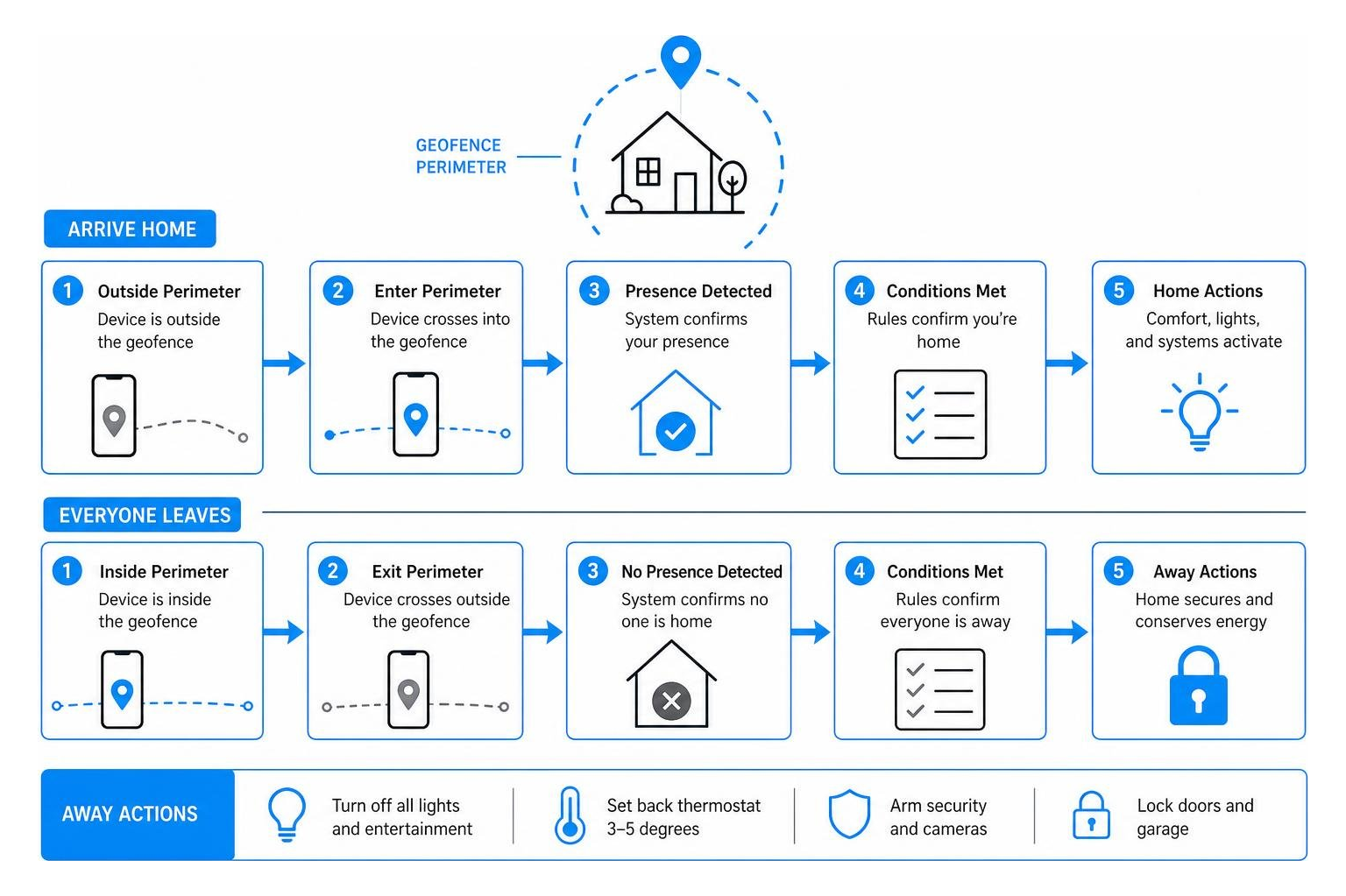
Geofencing relies on smartphone GPS tracking or network presence to detect when household members enter or leave a virtual perimeter around your property.
When every family member leaves the perimeter, your home can execute a unified “Away” sequence:
- Turn off all interior lighting and entertainment systems.
- Set back smart thermostats by 3 to 5 degrees.
- Arm security sensors and exterior motion cameras.
- Ensure automated garage doors and exterior deadbolts are secured.
Upon returning, crossing back into the geofenced zone reverses these settings so you enter a comfortable, well-lit house. To browse hardware that excels at presence detection, read our breakdown of From Dumb to Brilliant: The Best Smart Home Automation Products of the Year.
Smart Climate and Thermostat Automations for Energy Savings
Heating and cooling account for over half of an average home’s energy consumption. Automating your HVAC system delivers immediate, measurable financial savings.
- Window & Door Interlocks: Mounting inexpensive contact sensors on windows and patio doors allows your system to pause heating or cooling if a window is left open for more than three minutes.
- HVAC Fan Cycle Optimization: After your air conditioning compressor cycles off, running the furnace fan continuously for an extra 5 to 10 minutes pushes remaining chilled air out of ductwork into your rooms for free cooling.
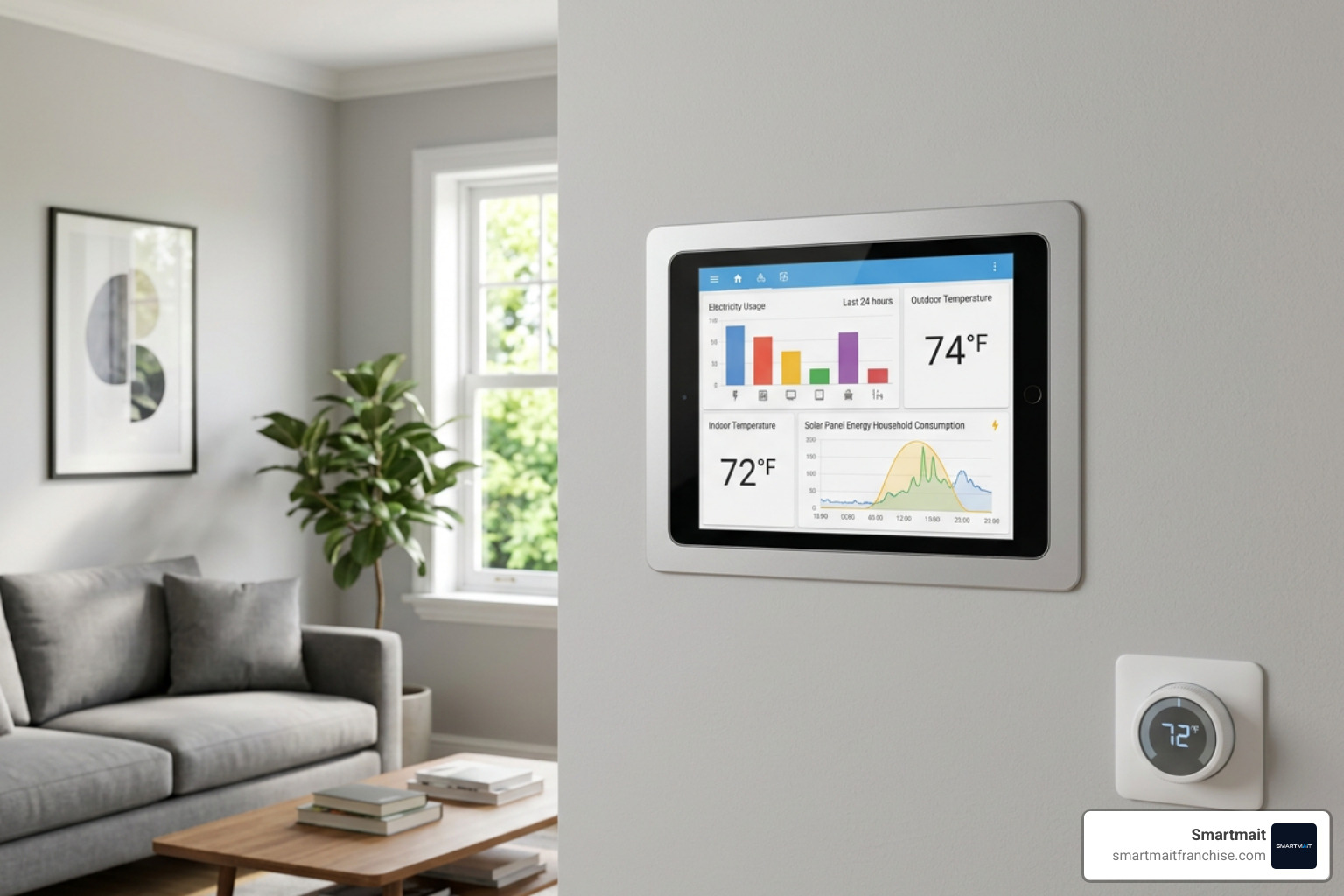
- Solar Energy Alignment: For homes equipped with rooftop solar panels, smart thermostats can precool or preheat living spaces during midday peak solar production hours when electricity is abundant and free.
Essential Automations for Security, Chores, and Household Routines
Security automations safeguard your home, while household routine automations take over repetitive daily chores.
Automating Safety and Threat Response
Automating security hardware requires secondary verification to prevent accidental triggers or security gaps.
Opening a garage door automatically based solely on phone location is a known security vulnerability—if your phone is stolen, the thief gains instant access to your property. Instead, implement multi-factor presence rules: require both smartphone presence and an active Bluetooth connection to your specific vehicle before unlocking doors or lifting garage gates.

Water leak detection represents one of the highest-ROI automations available. Installing wireless leak pucks under dishwashers, water heaters, and washing machines tied to an automated main shut-off valve prevents catastrophic water damage. When moisture is detected, the system closes the main water valve immediately and sends high-priority mobile alerts to your phone.
Nighttime arming can also be automated smoothly. Placing smart plugs with power-monitoring capabilities on bedroom phone chargers allows night modes to trigger automatically. When you plug your phone in after 10:00 PM, the system locks all deadbolts, arms perimeter sensors, closes garage doors, and turns off all main-floor lighting. Read more about protecting your mechanical systems in Predictive Maintenance: Let Smart Tech Fix Your Home Before It Breaks.
Chores, Pet Care, and Household Reminders
Integrating home appliances into your automation controller removes the guesswork from household tasks.
- Laundry Complete Alerts: Connect smart plugs with live power monitoring to non-smart washing machines and dryers. When power consumption drops below 2 Watts for two consecutive minutes, trigger a voice announcement across smart speakers or send a mobile phone push notification.
- Trash & Recycling Reminders: Schedule localized text-to-speech announcements on smart speakers every evening before garbage collection, alerting family members which bins go to the curb.
- Automated Pet & Aquarium Routines: Integrate smart feeders to dispense food on precise schedules. For aquarium owners, build a “Feeding Time” routine that pauses filter intake pumps for 15 minutes when a button is pressed—preventing fish food from getting pulled into filtration media—before automatically resuming pump operation.
To explore software tools that simplify daily tasks, check out The Best Apps for Homeowners Who Hate Chores.
Here is a practical breakdown of chore-reducing automations:
- Washing Machine Status Alert: Power-monitoring plug alerts family members when energy draw drops, signaling the wash cycle is finished.
- HVAC Kitchen Odor Pause: Temporarily turns off central air returns during high-heat cooking to stop kitchen grease or smoke from spreading to bedrooms.
- HVAC Filter Change Tracker: Tracks actual fan running hours rather than calendar days to remind you precisely when to change HVAC air filters.
- Robot Vacuum Scheduling: Triggers robot vacuums to clean high-traffic areas specifically when geofencing shows all occupants have left the building.
Platform Selection and Control Interfaces: Local vs. Cloud
Choosing the right ecosystem platform determines your smart home’s speed, privacy, and long-term reliability.
| Feature / Capability | Local Open-Source Systems | Proprietary Cloud Ecosystems |
|---|---|---|
| Data Privacy | High (All data stays inside home network) | Moderate (Data processed on vendor cloud servers) |
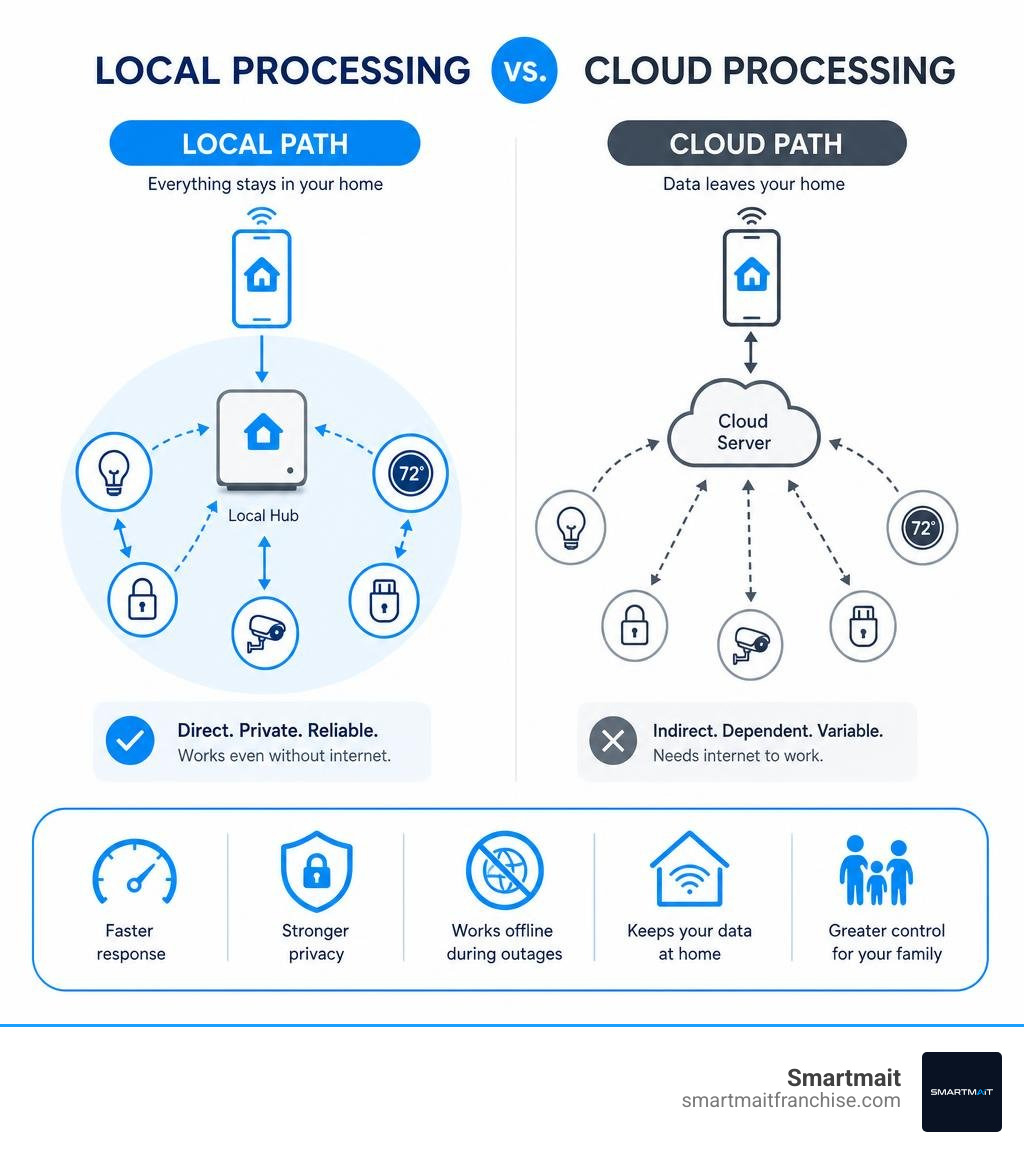
| Internet Dependency | Works offline during outages | Automations fail without active internet |
| Response Latency | Instant (<50ms execution) | Variable (Subject to cloud delay) |
| Device Compatibility | 1,000+ brands supported natively | Limited to vendor partner ecosystems |
| Protocol Support | Matter, Thread, Zigbee, Z-Wave, Wi-Fi | Primarily Wi-Fi, Matter, & proprietary bridge |
Modern connectivity protocols like Matter and Thread have eliminated historical device isolation. Matter serves as a universal application layer enabling devices from different brands to communicate directly, while Thread establishes a low-power, self-healing mesh network for battery-powered sensors without overwhelming your home Wi-Fi router.
Local Control Hubs and Privacy-First Platforms
Cloud-dependent smart home systems rely on third-party servers to process simple events like turning on a light. If your internet service drops—or the vendor shuts down its cloud architecture—your automations stop working.
Local control platforms execute all automation logic directly inside your home on dedicated hardware. The leading open-source platform, Home Assistant, powers over 2 million households globally and natively integrates with over 1,000 device manufacturers. By keeping processing local, commands respond instantly and personal household data never leaves your property.
For homeowners looking for an out-of-the-box local setup, hardware appliances like the Home Assistant Green offer plug-and-play installation without requiring deep technical knowledge. Non-technical users can learn jargon-free onboarding steps through educational resources like Home Assistant For Beginners | SimplyHA.
NFC Tags and Smart Buttons for Non-Technical Users
Voice control is convenient, but physical triggers often deliver a better experience for non-technical family members, children, and guests.
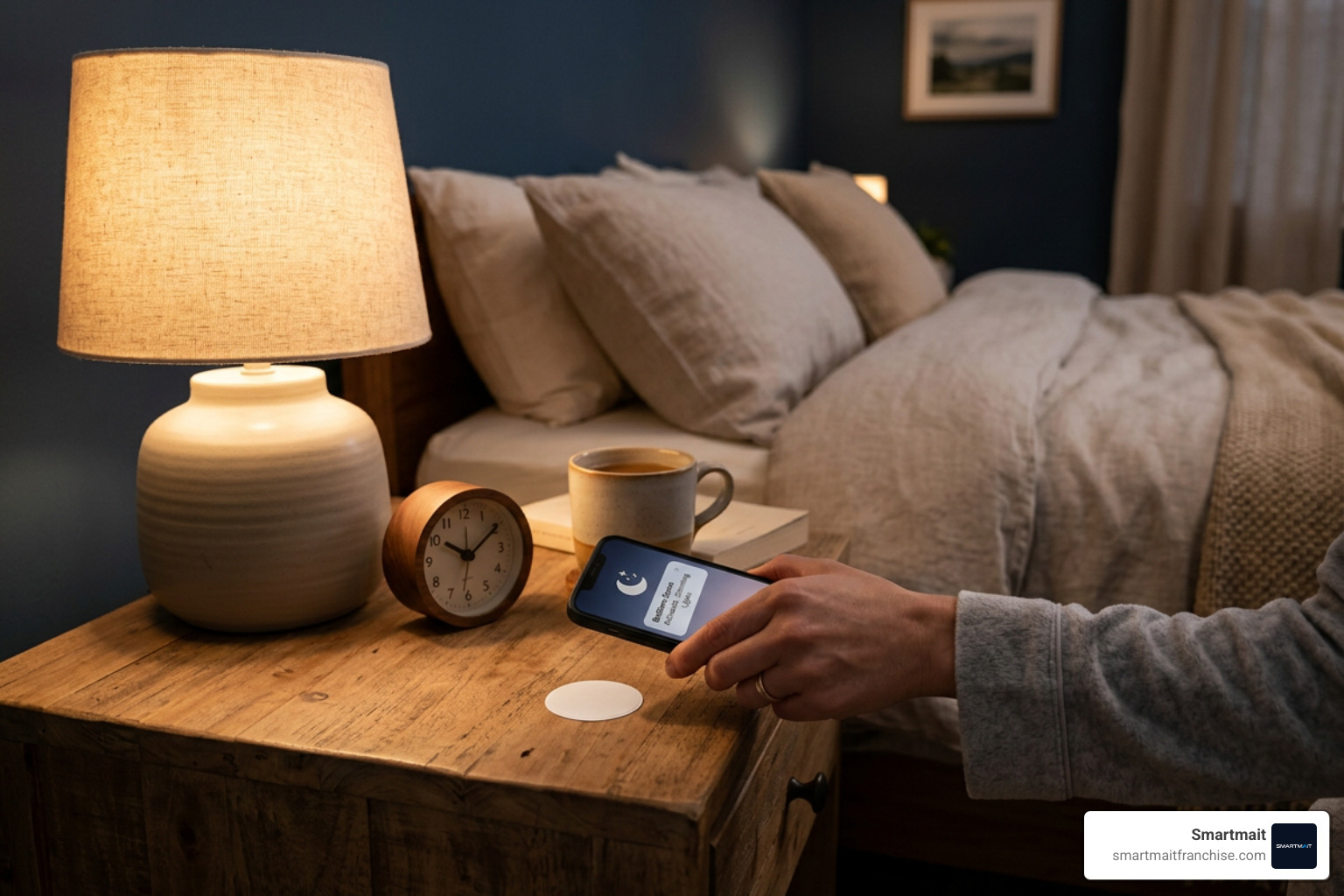
Near Field Communication (NFC) tags are small, passive adhesive stickers that cost pennies. There are over 2 billion NFC-enabled smartphones worldwide, representing 20% of the global population with direct access to NFC technology. Tapping a smartphone against an NFC tag triggers pre-programmed smart routines instantly:
- Bedside Nightstand Tag: Tapping your phone against a tag on your nightstand arming security, dimming bedroom lights, and setting alarm clocks.
- Desk Focus Tag: Tapping a tag mounted beneath an office desk turning on video call lighting and setting smart speakers to “Do Not Disturb.”
Similarly, wireless smart buttons mounted on walls or tables offer intuitive scene selection (Single Press = Relax Lighting, Double Press = Bright Cleaning Lights, Long Press = Turn Off Room).
How to Get Started with Practical Home Automations
Starting a smart home project can feel overwhelming if you try to integrate every room at once. The most successful approach builds up capabilities in practical phases.
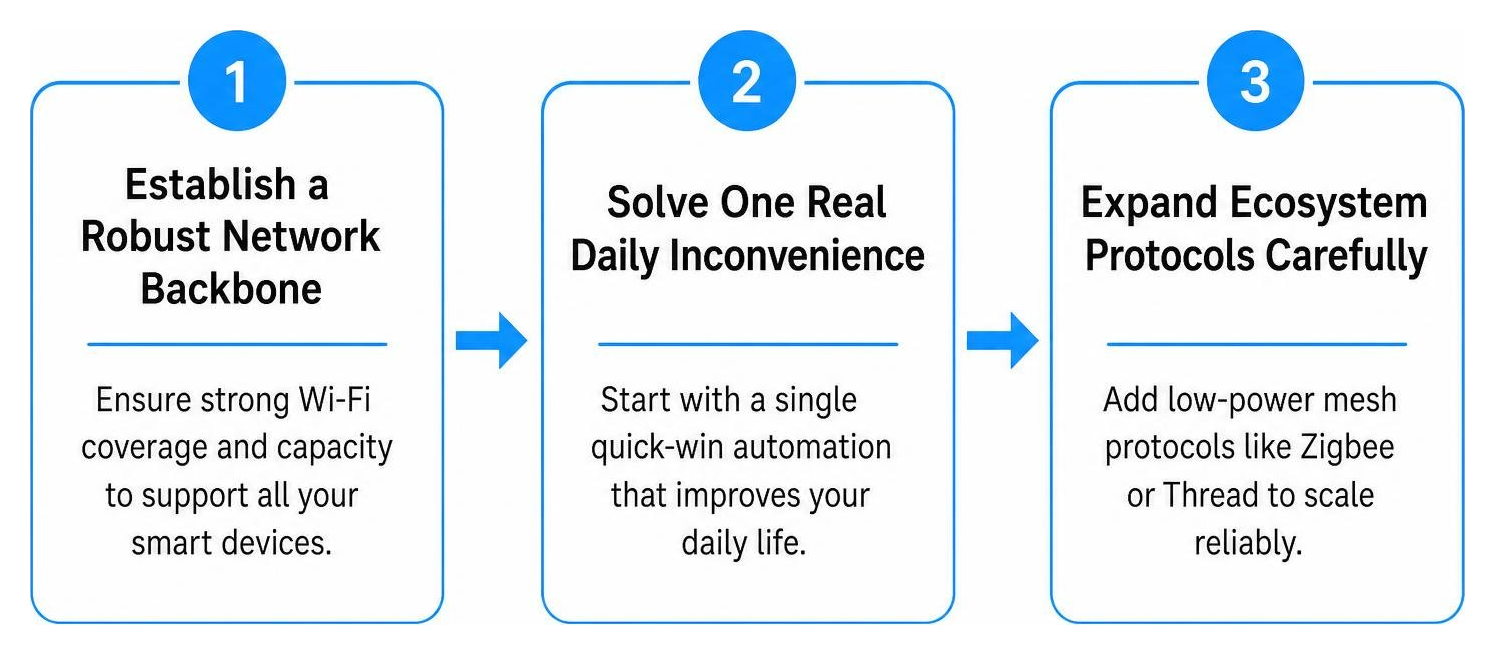
- Establish a Robust Network Backbone: Smart home devices fail when local Wi-Fi networks suffer from congestion or weak coverage. Ensure your router can handle dozens of concurrent connections. Learn how to optimize your network settings in Smart Home WiFi Setup 101: Stop Your Devices from Fighting for Bandwidth.
- Solve One Real Daily Inconvenience: Begin with a single quick-win automation—such as automatic motion lighting in a dark hallway or a smart lock on the front door.
- Expand Ecosystem Protocols Carefully: Integrate low-power mesh protocols like Zigbee or Thread for battery-operated sensors to keep your Wi-Fi network clear. Read our full expansion framework in The Smart Way to Plan Your Next Smart Home System Upgrade.
What Is the Most Useful Home Automation for Beginners?
If you are setting up your very first automation, skip complex multi-condition routines and focus on these four reliable starter projects:
- Hallway or Laundry Room Motion Lighting: Install a wireless motion sensor paired with a smart wall switch or plug in a utility room.
- Sunset Outdoor Lighting: Configure your front porch and entry lights to turn on automatically at sunset and shut off at midnight.
- Smart Thermostat Away Schedules: Use basic location tracking to turn down heating or cooling whenever your phone leaves the home radius.
- Master “Goodnight” Button: Mount a smart button on your nightstand that turns off every light in the house with a single press.
Frequently Asked Questions About Useful Home Automations
What is the single most useful home automation for a family?
For most households, motion-activated lighting in high-traffic pass-through areas (like hallways, staircases, and laundry rooms) paired with smart locks delivers the highest immediate value. These setups enhance personal safety, reduce electricity waste, and eliminate the frustration of hunting for keys with full hands.
Are local smart home platforms safer than cloud-based ecosystems?
Yes. Local platforms process all automation commands, camera feeds, and sensor logs inside your internal home network. Because data isn’t sent to cloud servers, your home remains functional during internet outages and is protected against cloud database breaches or third-party server shutdowns.
How can home automation significantly lower monthly energy bills in 2026?
Integrating door/window contact sensors with smart thermostats prevents HVAC units from heating or cooling the outdoors when windows are left open. Combining this with occupancy-based setback temperatures, HVAC fan optimization, and sunset lighting schedules can reduce household energy consumption considerably.
Conclusion
Finding the most useful home automation strategy comes down to balancing simplicity, privacy, and long-term performance. Focus on real daily friction points, prioritize local reliability over unnecessary cloud features, and make sure control options remain intuitive for everyone in the house.
At Smartmait, we help homeowners and business owners build reliable, stress-free smart environments. From robust network backbones to local hub integrations and ongoing system care, our franchise network delivers expert installation and maintenance services. To design a smart home tailored to your lifestyle, Explore Smart Home Services today.