

Key Features to Look for in the Best Indoor CCTV Camera
When we evaluate hardware for indoor monitoring, we quickly realize that not all security cameras are built equal. Placing a camera inside a home or office involves balancing fine image detail with user privacy, smart automated alerts, and effortless day-to-day operation.
To find the best indoor cctv camera, we need to evaluate four main pillars: visual optics, physical coverage, intelligent edge analytics, and privacy controls. Let’s examine how these features work together to keep your property secure.
Evaluating Video Resolution and Optics for the Best Indoor CCTV Camera
Clear video quality is essential. If an incident occurs indoors, low-resolution footage can leave you guessing fine details like facial features, badge numbers, or minor environmental hazards.
Standard 1080p Full HD used to be the industry benchmark, but modern 2026 indoor security standards have shifted heavily toward 2K (1440p) and 4K Ultra HD.
- 1080p HD: Adequate for small, enclosed spaces like hallways or laundry rooms, but loses clarity when digitally zoomed.
- 2K HDR (2560×1440): The current standard for high-value home surveillance, providing exceptional detail without overwhelming your home network’s bandwidth. For instance, models like the Arlo Essential 3 2K Indoor security | Arlo UK deliver crisp 2K video that allows you to zoom in on key areas without pixelation.
- 4K UHD (3840×2160): Ideal for expansive living rooms, retail floors, or corporate lobbies. High-end devices such as the IN-8815 4K Black | 4K Ultra HD Indoor Camera with Pan/Tilt, LAN, PoE & WiFi leverage 8-megapixel sensors to capture ultra-fine details across large spaces.
Camera optics matter just as much as megapixel counts. Advanced image sensors like the Sony STARVIS series provide exceptional low-light sensitivity. Combined with lightfinding algorithms and starlight night vision, these sensors keep color video clear even in dim living rooms, reducing reliance on harsh infrared illuminators that can create glare on windows or glass furniture.
Pan-Tilt Functionality and AI Motion Tracking
Static wide-angle lenses are fine for corners, but open-concept floor plans benefit immensely from motorized pan-and-tilt functionality. A 360-degree horizontal pan paired with wide vertical tilt allows a single camera to survey an entire room corner-to-corner.
Modern pan-tilt cameras do more than just rotate on command—they use AI auto-framing and dynamic target tracking:
- Human Detection: Differentiates between actual human movement and ambient motion like swaying curtains or passing shadows.
- Pet & Object Recognition: Keeps track of pets moving across the floor while filtering out vacuum robots.
- Sound Recognition: Listens specifically for sudden audio triggers like glass breaking, smoke detector sirens, or crying infants.
By handling these detections directly on the camera hardware, we can significantly cut down on false notifications while ensuring critical events are recorded immediately. To optimize your alerts further, read our guide on No More False Alarms A Beginners Guide to Alarm System Set Up.
Selecting the Best Indoor CCTV Camera for Privacy and Zero Subscriptions
Introducing an internet-connected lens into private spaces like bedrooms, family rooms, or executive offices naturally raises data privacy concerns.
We strongly recommend looking for hardware-level privacy features alongside strong software settings:
- Mechanical Privacy Shutters: Physical barriers or rotating lens assemblies physically block the camera sensor and disconnect internal microphones when you set the camera to disarmed mode.
- Hardware Lens Covers: Devices like the Indoor surveillance camera ADVANCE | Netatmo Rest of Europe feature built-in shutters and localized processing, ensuring video recording completely stops when family members return home.
- Local AI Processing: Facial recognition and motion classification happen directly on the camera’s local processor rather than being sent to a third-party cloud server.
Opting for cameras with on-device AI and local memory saves money by eliminating monthly subscription fees, while keeping private home video safely inside your local network.
Storage Architecture: Local Storage vs. Cloud Subscriptions
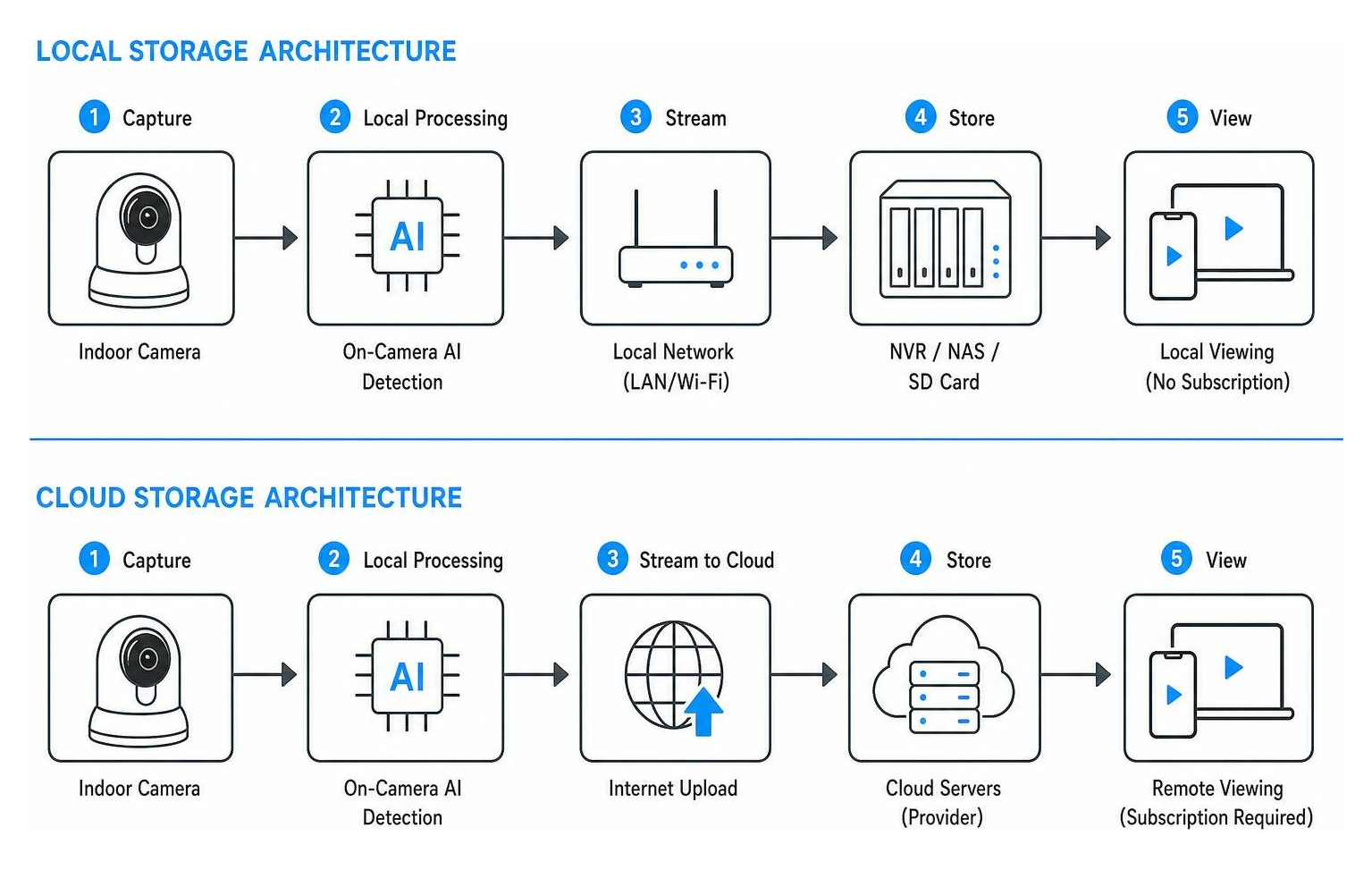
Choosing how your indoor cameras log and store video feeds directly affects your long-term ownership costs and data security.
While cloud subscriptions offer quick off-site backups, recurring monthly charges of $5 to $15 per camera can double your investment over time. On the flip side, local storage options put control back in your hands with zero recurring fees.
| Storage Architecture | Initial Cost | Ongoing Monthly Cost | Internet Outage Protection | Video Theft Risk | Best For |
|---|---|---|---|---|---|
| MicroSD Edge Storage | Low ($10–$30 card) | $0 | Full continuous recording | High (if camera is stolen) | Single-room home monitoring |
| Local NVR / NAS | Moderate to High | $0 | Complete network isolation | Low (hidden central unit) | Multi-camera home & business |
| Cloud Subscription | Included with camera | $5–$20+ per month | Recording stops | Zero (remote server) | Plug-and-play simplicity |
MicroSD, NVR, and NAS Local Storage Options
For maximum control and lower long-term costs, local storage architectures are hard to beat:
- MicroSD Edge Recording: High-end consumer cameras include onboard microSD slots supporting up to 256 GB or 1 TB cards. MicroSD cards act as edge storage, saving motion events or continuous loops even if your home Wi-Fi drops out completely.
- Network Video Recorders (NVRs): Systems like the multi-channel eufy PoE Cam S4 | 16MP Triple-Lens Camera with PTZ – eufy Canada stream high-bitrate video directly over local network cables to a central hard drive array (expandable up to 16 TB), delivering 24/7 continuous recording without touching the public internet.
- NAS & RTSP/ONVIF Streaming: Commercial-grade IP cameras like the Buy AVYCON – AVC-NKD81M use standardized Real-Time Streaming Protocol (RTSP) and ONVIF compliance. This lets you stream footage directly to your own Network Attached Storage (NAS) or local server over encrypted FTP protocols.
Data Privacy, Encryption, and Cybersecurity Hardening
An indoor camera is only as secure as the network it sits on. Standard camera testing evaluates up to 70 individual data security and privacy factors to ensure hardware cannot be compromised by credential stuffing or unpatched exploits.
We recommend following key security practices when setting up indoor IP cameras:
- Enable Multi-Factor Authentication (MFA): Always mandate authenticator-app or SMS-based two-factor authentication for camera app accounts.
- Implement Network Isolation: Place wireless cameras on a separate Wi-Fi Guest Network or isolated IoT VLAN to keep them away from main personal computers and storage devices.
- Enforce HTTPS & WPA3: Verify that local streaming web interfaces require HTTPS encryption and that Wi-Fi access uses modern WPA3 security keys.
- Restrict Inbound Router Ports: Avoid opening raw port forwards on your router; instead, access local camera feeds remotely via an encrypted Virtual Private Network (VPN).
For step-by-step help building a private home network setup, see our guide on DIY Home Security Camera Setup Help Me Pick the Best System.
Connectivity Protocols: Wired vs. Wireless Setup
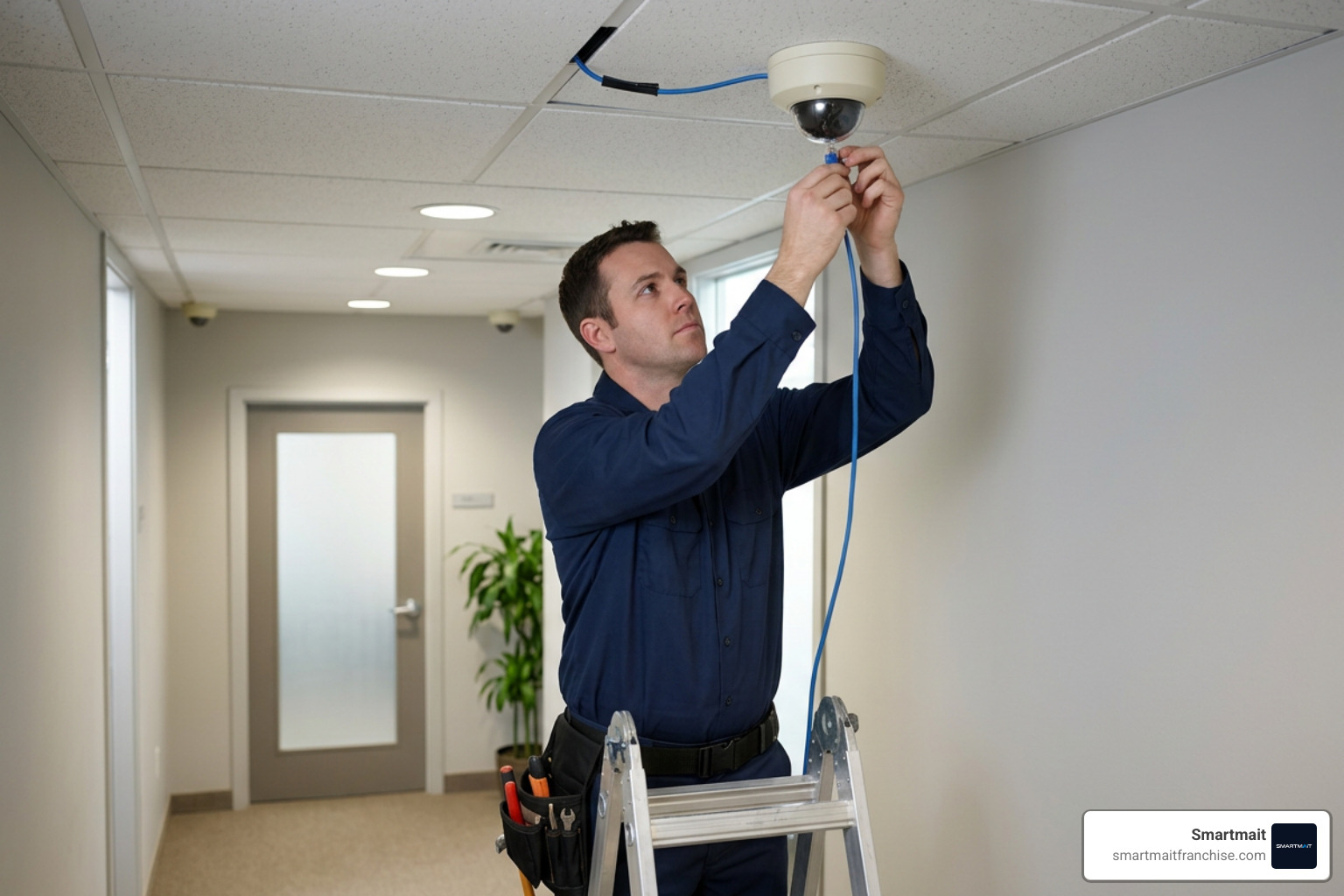
Choosing between wired Power over Ethernet (PoE) and wireless Wi-Fi deployment depends on your building layout, aesthetic preferences, and network reliability needs.
Power over Ethernet (PoE) and Hardwired Reliability
Wired PoE installations are the gold standard for high-security environments, large residences, and commercial properties. A single Category 6 Ethernet cable delivers power and high-speed data transmission up to 328 feet (100 meters) without requiring nearby AC outlets.
PoE cameras eliminate common wireless issues like 2.4 GHz radio congestion, thick plaster signal dropouts, and Wi-Fi jammer interference. Industrial-grade indoor dome options, such as the AXIS P3275-LV Dome Camera | Axis Communications, feature robust vandal-resistant IK10-rated housings alongside hardware security tools like Axis Edge Vault.
These hardwired systems run smoothly 24/7, streaming uncompressed, high-bitrate video straight to local servers. Learn more about professional hardwiring methods in our Stop Thief A Complete Guide to Video Surveillance System Installation.
Dual-Band Wi-Fi and Smart Home Integrations
Wireless indoor cameras shine when it comes to easy setup and flexible placement on shelves, desks, or ceilings.
When shopping for wireless security hardware, look for dual-band Wi-Fi support (2.4 GHz and 5 GHz):
- 2.4 GHz Wi-Fi: Offers wider coverage through walls, but suffers from heavy signal congestion from household microwaves and Bluetooth devices.
- 5 GHz Wi-Fi: Provides faster data transfers and lower latency, ideal for 2K and 4K live video streaming.
Wireless cameras should also fit right into your existing smart home ecosystem:
Integrating your cameras with open platforms like MQTT lets motion events trigger local automations—like switching on indoor lights when motion is detected at night—without sending your data to remote cloud servers. To see how professional monitoring ties into smart hubs, check out A Comprehensive Guide to Comparing Security System Monitoring.
Balancing Budget and Premium Indoor Camera Performance
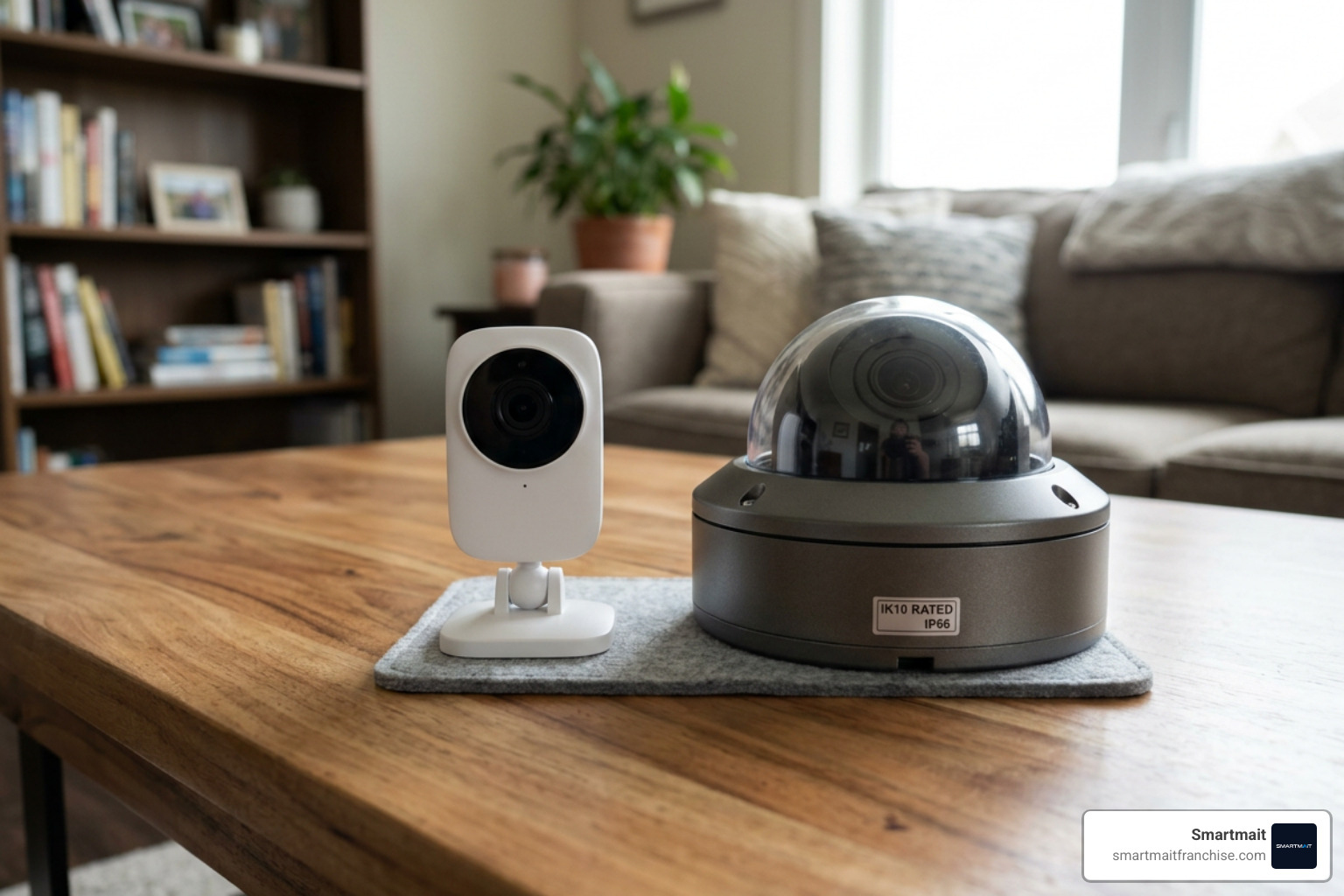
Choosing the best indoor cctv camera isn’t just about picking the most expensive option; it’s about matching hardware specs to your actual coverage needs.
Budget-friendly cameras (under $50) provide impressive value for apartment renters or basic entryway tracking. These compact units frequently feature 2K resolution, simple motion alerts, and local microSD recording, giving you solid entry-level monitoring without extra monthly costs.
However, moving up to premium consumer and commercial-grade models ($150 to $400+) unlocks key performance benefits:
- Superior Optics: Variable motorized auto-focus lenses, large optical sensors, and true hardware Wide Dynamic Range (WDR) maintain clear images in tricky, high-contrast lighting.
- Edge AI Computation: Advanced microprocessors analyze video in real time to filter out 99% of false alarms while tracking human targets smoothly across multiple angles.
- Build Quality & Security: Premium commercial dome units use vandal-resistant IK10 housings, anti-tampering sensors, and hardware encryption chips (like FIPS 140-3 Level 3) to protect physical data from tampering.
Investing in enterprise-grade PoE hardware offers long-term durability and centralized local storage, whereas budget Wi-Fi plug-in units provide flexible, cost-effective coverage for everyday rooms.
Frequently Asked Questions About Indoor CCTV Cameras
How do indoor cameras protect user privacy when disarmed?
Modern indoor security cameras protect your privacy through physical, mechanical, and network safeguards:
- Mechanical Lens Shutters: Disarming the system triggers an internal motor that drops an opaque physical shield over the camera lens and cuts power to the internal microphone.
- Motorized Lens Down-Rotation: Pan-tilt units rotate their camera lenses downwards into the main body shell when turned off, giving you clear visual proof that the camera isn’t recording.
- Geolocation Mode: Companion apps use your phone’s GPS location to automatically disarm cameras and close privacy covers the moment family members arrive home.
Can an indoor CCTV camera record locally during an internet outage?
Yes, provided the camera is configured with onboard edge storage or connected to a local recording network:
- MicroSD Edge Cards: Indoor cameras with built-in microSD slots continue saving motion triggers or continuous video logs directly to memory during internet outages. Once connectivity is restored, video logs automatically sync back to your mobile app.
- Local NVR/NAS Systems: Hardwired PoE cameras streaming to an on-site NVR record continuously regardless of internet availability, as long as local network switches have power.
What is the difference between 2K and 4K resolution for indoor monitoring?
The main differences between 2K and 4K resolution come down to pixel density, zoom capabilities, and bandwidth usage:
- 2K Resolution (approx. 4 Megapixels): Provides plenty of clarity for standard living rooms and bedrooms. It delivers clear video without hogging local Wi-Fi bandwidth or filling up storage cards quickly.
- 4K UHD Resolution (approx. 8 Megapixels): Offers four times the detail of standard 1080p, allowing you to zoom in on faces, documents, or small objects across large open spaces. However, 4K video requires stronger Wi-Fi connections, higher power output, and efficient H.265 compression codecs.
Conclusion
Finding the best indoor cctv camera comes down to balancing high-definition optical clarity, smooth pan-tilt movement, smart edge AI, and dependable privacy protections. Whether you prefer plug-and-play Wi-Fi cameras with physical privacy covers or robust, hardwired PoE commercial dome installations with zero subscription fees, modern security tech gives you complete control over your space.
At Smartmait, we help homeowners and businesses design, install, and maintain smart security systems built around your specific property layout. From custom cabling to ongoing network optimization, our nationwide team ensures your monitoring hardware runs seamlessly 24 hours a day, 7 days a week.
Ready to upgrade your home security infrastructure with clean cabling and reliable local storage? Read our detailed guide on CCTV Systems Installation Wired and Wireless Setup Made Easy to start building your ideal setup today.