

Start Every Smart Home Firmware Update Safely
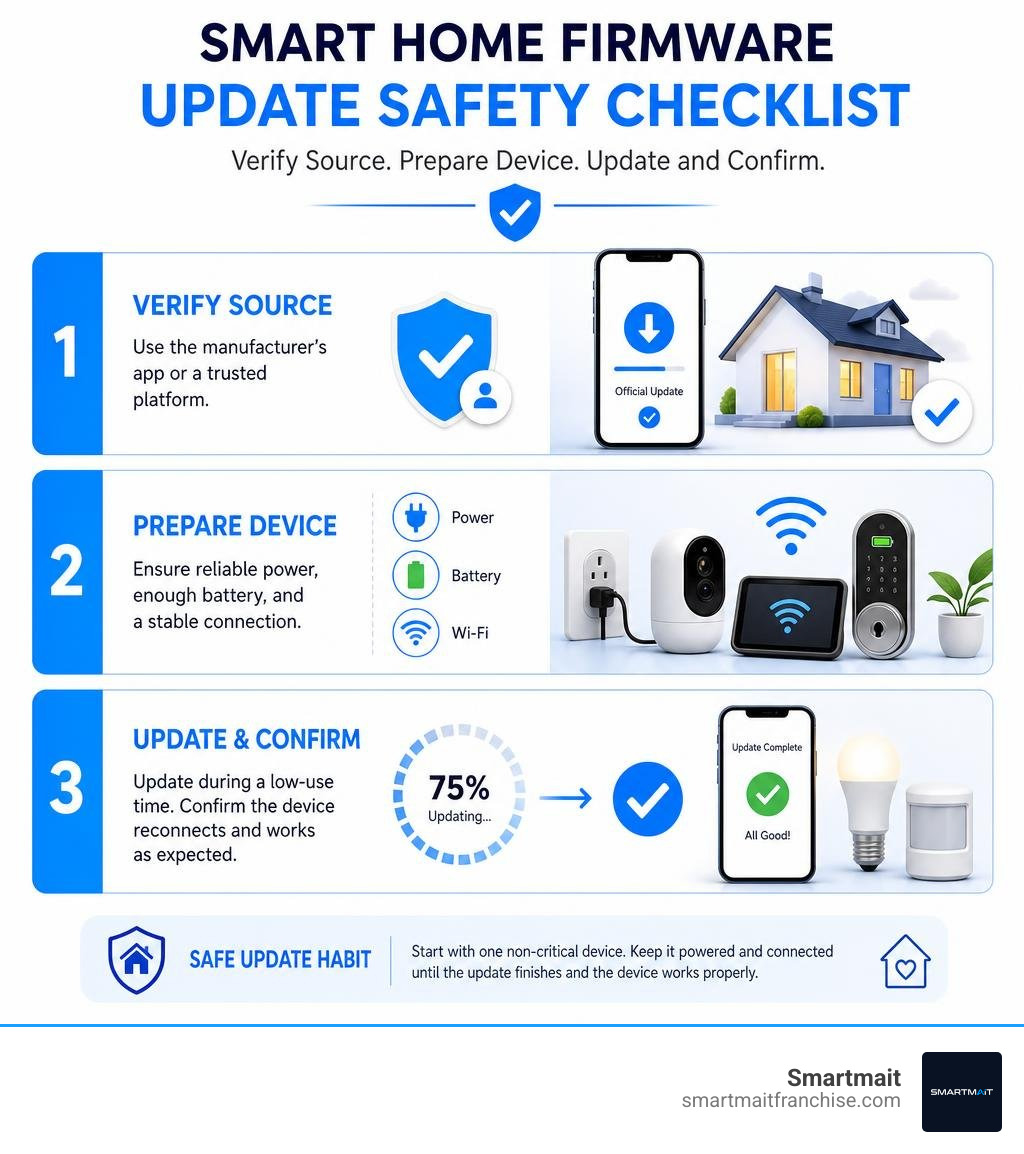
A smart home firmware update is safest when you verify the update source, prepare the device, and update one non-critical device first. Keep the device powered, confirm a strong network signal, and use the manufacturer’s app or a trusted platform before you begin.
- Check that the firmware comes from the manufacturer or a verified source.
- Ensure the device has reliable power, enough battery charge, and a stable connection.
- Run the update during a low-use time, then confirm the device reconnects and works as expected.
Firmware is the device’s built-in operating software. Updates can patch security flaws, improve reliability, fix false alerts, and add features. But an interrupted update, weak Wi-Fi or mesh signal, or the wrong firmware file can leave a device offline – especially for locks, cameras, hubs, sensors, and energy equipment.
For battery-powered Zigbee devices, wake the device first and avoid updating when its battery is low. For cloud-connected systems, make sure the account performing the update has administrator permission. This simple preparation prevents many avoidable failures, including signal-related OTA errors.
I am Dominic Hesano, a franchise development professional and business operator building SmartMait around practical home and business automation, security, networking, and connected-device support. My experience with smart home firmware update planning focuses on helping customers keep essential technology reliable without making maintenance feel complicated.
Basic smart home firmware update glossary:
In the 2026 smart home landscape, connected devices handle everything from whole-home security to high-voltage energy storage. Keeping them protected requires treating firmware maintenance not as an afterthought, but as an essential lifecycle routine.
Understanding Firmware Update Modes, Channels, and Protocols
Every wireless protocol manages over-the-air (OTA) updates differently. Understanding these architectural variations ensures you do not overwhelm low-bandwidth mesh networks or trigger premature timeouts.
| Protocol | Typical Bandwidth | Update Mechanism | Major Risks | Best Practice |
|---|---|---|---|---|
| Wi-Fi | High (Mbps) | Direct TCP/IP HTTPS download | Signal drop, power interruption | Verify RSSI > -65 dBm before flash |
| Zigbee | Very Low (250 kbps) | Small block requests (10–100 bytes) | Battery drain, network congestion | Update 1 node at a time; >70% battery |
| Z-Wave | Low (9.6–100 kbps) | RF fragmented frames | Radio saturation, wrong region binary | Use SHA-256 verified regional files |
| Bluetooth LE | Moderate (1–2 Mbps) | Point-to-point or mesh GATT OTA | Out-of-range aborts, multi-firmware desync | Keep bridge/controller within 10 feet |
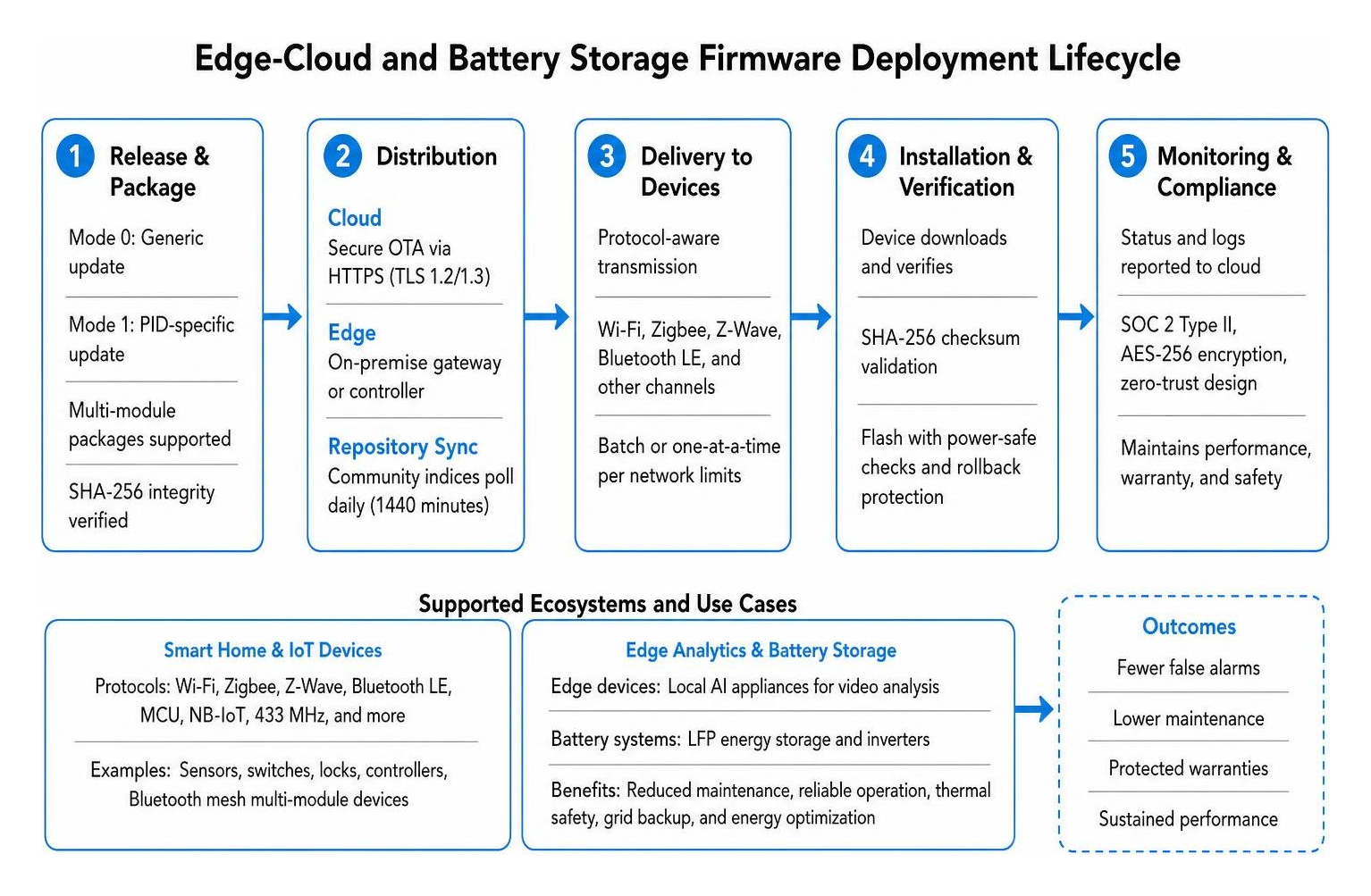
In modern IoT architectures like Tuya Cube and Smart App SDKs, developers distinguish between generic updates (Mode 0) and Product ID (PID)-specific updates (Mode 1). Generic updates distribute standardized base firmware across broad categories, whereas PID-specific updates deliver customized routines tailored to precise hardware revisions and regional sensors.
Tuya systems classify communication into over 10 distinct module channel types (such as Wi-Fi, MCU, Zigbee, Bluetooth, NB-IoT, and 433 MHz). Bluetooth mesh controllers can even bundle multi-module packages within a single OTA task to upgrade both radio and system logic sequentially. When managing local meshes, OTA updates via Zigbee2MQTT leverage community-maintained indices that poll repositories daily (every 1440 minutes by default) to identify new builds without relying on proprietary vendor clouds.
If you are just beginning to design your connected space, reviewing Smart Home 101: A Beginner’s Guide to Getting Started will help you lay down a solid network foundation before managing complex device updates.
Managing Z-Wave and Open Ecosystem Firmware Safely
For Z-Wave networks, the zwave-js/firmware-updates API service provides a structured, community-backed method to deliver verified binaries directly to controllers. The open-source service enforces strict operational standards:
- Strict API Headers: Every incoming HTTP request must include a descriptive
User-Agentheader (such as your automation server name); generic or blank requests are immediately rejected with an HTTP 400 Bad Request. - REST API Evolution: While API v1 through v3 managed single-device lookups and introduced channel filtering (stable vs. beta), API v4 enables efficient batch querying, allowing a controller to check dozens of nodes in a single network request.
- Integrity Validation: Every release payload is validated using SHA-256 checksums to ensure binaries are authentic and uncorrupted before transmission across the radio layer.
- Region-Specific Binaries: Because Z-Wave operates on distinct radio frequencies globally (including the USA, Europe, Australia/NZ, Hong Kong, India, Israel, China, Japan, and Korea), the service matches firmware files strictly against the target hardware’s geographic profile.
Hybrid Edge-Cloud Systems and Battery Storage Firmware
Modern smart buildings increasingly deploy hybrid edge-cloud systems for video surveillance and energy management. In platforms like Coram AI and Lumana, on-premise edge appliances handle local AI video analysis while communicating with cloud management planes. This hybrid approach enables automatic AI model and firmware deployments without replacing physical IP cameras, reducing maintenance overhead and cutting false alarms by up to 90%. These systems protect transmission pipelines with SOC 2 Type II compliance, zero-trust network design, and AES-256 encryption in transit (via TLS 1.2/1.3) and at rest.
Similarly, residential high-voltage energy storage systems—such as modular lithium iron phosphate (LFP) batteries—rely on continuous firmware updates to manage solar self-consumption, grid backup, and thermal regulation. Because LFP chemistry avoids thermal runaway, maintaining updated firmware preserves inverter synchronization, maximizes retail energy credits, and protects manufacturer warranties.
When planning major infrastructure improvements, exploring The Smart Way to Plan Your Next Smart Home System Upgrade ensures your physical wiring and hardware capabilities align with current software demands.
The 3-Step Smart Home Firmware Update Process for Seamless Performance
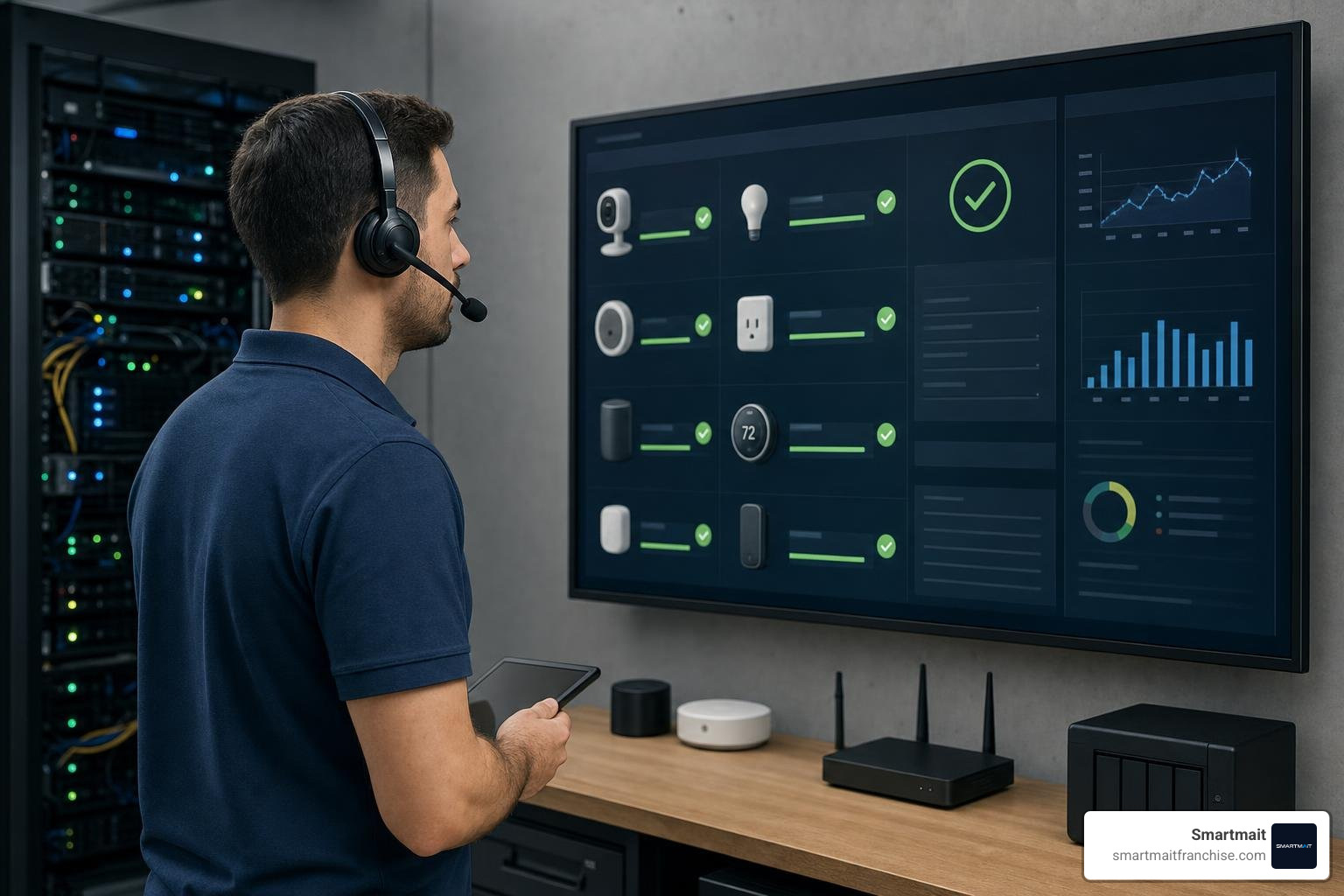
Executing an update safely across hundreds of endpoints requires an organized, repeatable process. We utilize a three-stage methodology designed to eliminate surprises and maintain operational continuity.
Step 1: Pre-Update Checklist: Preparing Devices for a Smart Home Firmware Update
Preparation is where 95% of update failures are prevented. Before initiating any binary push:
- Verify User Authorization: Ensure the active session belongs to a designated administrator or primary account holder. Restricted profiles cannot authorize low-level hardware writes.
- Assess Network & Signal Health: Wireless devices must exhibit stable link quality. In Tuya-managed ecosystems, trying to push an OTA update over a degraded Wi-Fi or cellular link triggers error code 5005, indicating the signal is too weak to ensure packet integrity.
- Enforce Battery Thresholds: Battery-powered endpoints (smart locks, contact sensors, temperature monitors) must hold at least 70% charge. An unexpected voltage drop mid-flash can disrupt the bootloader.
- Manage Sleep States & Queues: Deep-sleep battery nodes do not listen constantly. In tools like the KriVaTri/ESPHome-Update-Manager, administrators can stage a “pending force install.” The platform holds the compiled payload in a persistent queue across system reboots, pushing the binary the second the endpoint wakes up and broadcasts its status.
Step 2: Executing Staged and Isolated Firmware Deployments
Never update an entire ecosystem all at once. If a faulty build causes a boot loop, you do not want all your smart switches offline simultaneously.
- Deploy to Canary Devices First: Choose a single non-essential endpoint (like a secondary hallway lamp) before upgrading critical infrastructure like entry door locks or main water shutoff valves.
- Tune Data Transfer Parameters: Mesh protocols like Zigbee transmit payloads in small image blocks (typically 50 bytes, adjustable between 10 and 100 bytes). If an endpoint is far from the coordinator, increase
image_block_request_timeoutand insert animage_block_response_delayin your bridge configuration to eliminate packet congestion. - App-Free Local Flashing: You can maintain privacy by applying Aqara/Xiaomi Zigbee Firmware Updates Without the App through local MQTT bridges, bypassing external servers entirely while monitoring progress frame-by-frame.
Step 3: Post-Installation Verification After a Smart Home Firmware Update
The process does not end when the progress bar hits 100%. After the device reboots, you must verify operational integrity:
- Check Power-On Defaults: Many smart bulbs and relays reset their default power state (e.g., turning ON automatically after a power cycle) upon rebooting. Confirm that relays and lights return to their desired state.
- Validate Node Power Descriptors: Inspect low-level configuration clusters. In standard Zigbee descriptors, verify that power modes (
0x00for continuously listening,0x01for periodic wake-up) and power sources (0x02rechargeable,0x04disposable) are reporting properly in Big Endian byte format. - Force Batch Reporting: Clear stale sensor states by triggering an immediate batch report (command
0x08) or configuring a delta threshold (such as a 200 mV change on a 1440-minute cycle) to ensure the sensor transmits fresh telemetry without draining its battery.
If an endpoint behaves erratically after an upgrade, our structured approach in How to Troubleshoot Smart Home Issues in 7 Days provides an easy step-by-step diagnostic workflow.
Mitigating Risks: Preventing Bricked Devices and Update Failures

When an update fails, it usually stems from three main hazards: power loss during memory flashing, packet corruption over weak radio links, or running unverified custom binaries.
Modern commercial microcontrollers incorporate dual-partition flash memory (A/B partitioning). The system receives the new image onto Partition B while operating normally from Partition A. Once the image is validated against a SHA-256 signature, the bootloader flips an internal flag to boot from Partition B. If Partition B fails checksum verification or fails to boot, the hardware rolls back to Partition A automatically.
However, budget sensors and legacy IoT devices often lack dual-partition memory due to storage constraints. For these simpler endpoints:
- Avoid Untrusted Repositories: Flashing unverified third-party binaries carries the risk of mismatched pin configurations, which can permanently disable the radio bootloader.
- Schedule Maintenance Windows: Automate update routines during off-peak hours (e.g., 2:00 AM to 4:00 AM) when local Wi-Fi traffic is lowest, reducing RF interference.
- Protect Critical Security Sensors: Ensure alarm sensors and security cameras maintain active monitoring channels during maintenance. Review our Smart Home Alarm Monitoring Tips 2026 to safeguard physical security while running updates.
- Maintain Vendor Contacts: When proprietary hardware locks up, quick recovery depends on official tooling. Keep our reference guide, The Master List of Smart Home Support Phone Numbers, readily accessible for rapid escalations.
Frequently Asked Questions About Smart Home Firmware Updates
What causes smart home firmware update failures?
The primary causes of OTA update failures include:
- Signal Attenuation: Low link quality causes dropped data frames. In platforms like Tuya, this triggers error code 5005, halting the process before flashing begins.
- Insufficient Battery Power: If battery voltage drops below minimum operating thresholds mid-write, the microcontroller shuts down abruptly.
- RF Channel Congestion: High traffic on overlapping 2.4 GHz channels (Wi-Fi and Zigbee) causes packet timeouts, exhausting retry counters.
- Missing Administrative Permissions: In multi-user households, standard member accounts attempting an update will be blocked by role-based access controls.
Can a failed firmware update permanently brick a smart device?
A failed update can render an inexpensive single-partition device unresponsive if the bootloader memory itself gets corrupted. However, most modern smart home devices feature recovery bootloaders or dual-partition storage that revert to the last working firmware if an update fails integrity checks. Using signed, official firmware binaries and avoiding manual interruptions significantly reduces the risk of bricking.
Is it safe to automate smart home firmware updates?
Automating firmware updates is safe for low-risk devices (such as smart bulbs or ambient temperature sensors) when enabled via automatic upgrade switches. However, for mission-critical hardware—such as smart deadbolts, security cameras, medical alert buttons, and solar battery storage—we recommend configuring update notifications rather than automatic installations. This allows you to review release notes and supervise the update during an active maintenance window.
Conclusion
Managing a modern, responsive smart ecosystem requires regular maintenance. By understanding protocol characteristics, staging rollouts to non-critical devices first, and verifying post-update reporting, you protect your connected home from cyber threats and performance glitches.
Whether you manage a single residence or oversee commercial properties, our team at Smartmait provides professional installation, ongoing optimization, and managed support to keep your automation reliable. Explore how our Smartmait smart home and smart building optimization services keep your connected infrastructure running smoothly year after year.