
Understanding the Legacy Security Account Transition
Navigating corporate consolidations in the residential and commercial home security space can feel like solving a complex puzzle where the rules and management tools changed halfway through. When major private equity firms complete large-scale acquisitions and merge multiple security operations under one corporate structure, it marks a significant operational shift across the industry. For legacy customers, this means older account systems are gradually folded into a single primary brand architecture.
Today, independent portal management for many legacy security accounts has officially ceased. If you attempt to visit older login addresses or customer service portals, you may experience automatic redirection to updated digital platforms. However, your underlying security monitoring and equipment hardware have not vanished – they have simply migrated to a unified corporate infrastructure that requires updated management protocols.
How the Acquisition Impacts Existing Contracts and Pricing
One of the primary concerns for long-term account holders centers on contract stability, equipment ownership, and monthly fee structures. Historically, many national security providers relied heavily on standard 36-month monitoring contracts with auto-renewal clauses. If you signed an account agreement prior to a full consolidation, your core terms generally remained intact through their scheduled expiration date.
When examining current pricing models under integrated security platforms:
- Basic Monitoring Plans: Standard landline or cellular monitoring packages often start around $24.99 per month for fundamental perimeter protection.
- Upgraded Smart Plans: Interactive automation packages featuring remote smartphone control and home automation integration typically range between $34.99 and $39.99 per month.
- Upfront Costs: Professional technician installation fees have historically started around $99 to $100, depending on sensor quantities and control panel models.
If you recently purchased or moved into a property equipped with pre-existing security hardware, you might wonder how to take control of the setup without committing to unnecessary long-term agreements. To understand your options when inheriting installed hardware, check out our detailed guide on how to handle an inherited security system.
Key Differences Between Legacy and Upgraded Security Plans
While legacy hardware provided dependable property protection for its generation, modern smart home demands have evolved significantly. Older monitored accounts often relied on redundant monitoring networks, routing alarm signals through backup centers if a primary server went offline. Expanded modern infrastructure can spread signal processing across multiple fully redundant monitoring centers nationwide, maintaining fast average response times under 30 seconds.
| Feature / Metric | Legacy Security Systems | Upgraded Integrated Platform |
|---|---|---|
| Monitoring Network | Redundant monitoring centers | Multiple fully redundant centers |
| Response Times | Under 30 seconds | Under 30 seconds |
| Basic Monthly Fee | ~ $35.00/month | Starts around $24.99/month |
| Camera/Video Support | Add-on equipment tiers | Higher-tier video monitoring plans |
| Motion Sensors | Early image capture technology | HD video stream and smart detection |
| Service Guarantee | Standard service agreements | Updated installation refund policies may apply |
Legacy motion detectors equipped with low-resolution image capture were industry standard years ago, but modern smart installations utilize full HD streaming video, artificial intelligence person detection, and instant push notification alerts to mobile devices.
Step-by-Step Guide to Managing Your Upgraded Account
Transitioning day-to-day management from a legacy account portal to modern management tools is straightforward once you know where to access your dashboard.
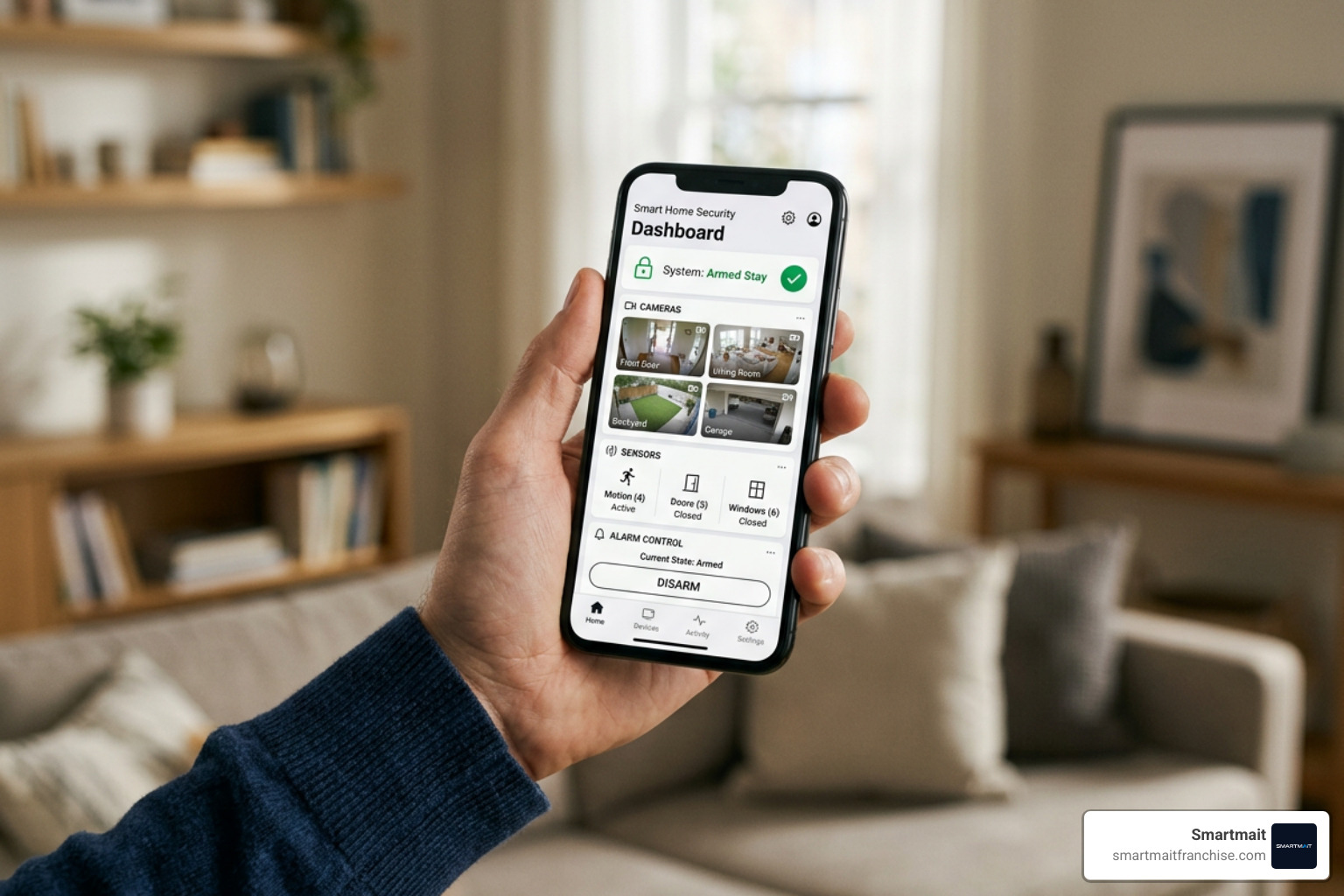
How to Access Your Upgraded Online Portal
To manage monthly billing, review current contract status, or update emergency dispatch contact lists, you must utilize current digital ecosystem tools.
- Navigate to the Direct Portal: Visit the centralized customer account portal or download the official mobile app to your iOS or Android device.
- Account Registration: If your old login credentials do not auto-populate, select “Register Account” using the primary email address and telephone number associated with your original account setup.
- Verify Monitoring Credentials: Keep your physical alarm panel master code and verbal security passcode accessible to verify identity during initial account creation.
- Configure Auto-Pay and Notification Rules: Update billing information to prevent service interruptions, and customize smartphone notifications for system arming, disarming, and sensor triggers.
Upgrading Legacy Security Hardware and Monitoring
While legacy alarm panels are durable, aging hardware eventually faces connectivity issues over modern communication infrastructure. Legacy control units relied heavily on 3G cellular radio signals or copper landlines, both of which have undergone extensive carrier phase-outs nationwide.
Upgrading your system hardware provides several immediate operational advantages:
- Cellular Backup Protection: Keeps your central panel connected to dispatch centers even during local power grid failures or internet outages.
- Smart Video Integration: Unlocks live video camera feeds, video doorbell alerts, and secure cloud clip storage (requiring video-level monitoring plans starting around $39.99/month).
- Expanded Home Automation: Allows Z-Wave, Zigbee, and Wi-Fi peripheral devices to synchronize directly through a single smart hub interface.
For comprehensive guidance on positioning equipment and configuring IP cameras, explore our detailed guide to video surveillance system installation.
Maximizing Home Automation and System Maintenance
Smart home technology integration is where modern property security truly excels. Beyond detecting unauthorized entry, an upgraded system helps safeguard your home against environmental hazards and significantly reduces utility costs.
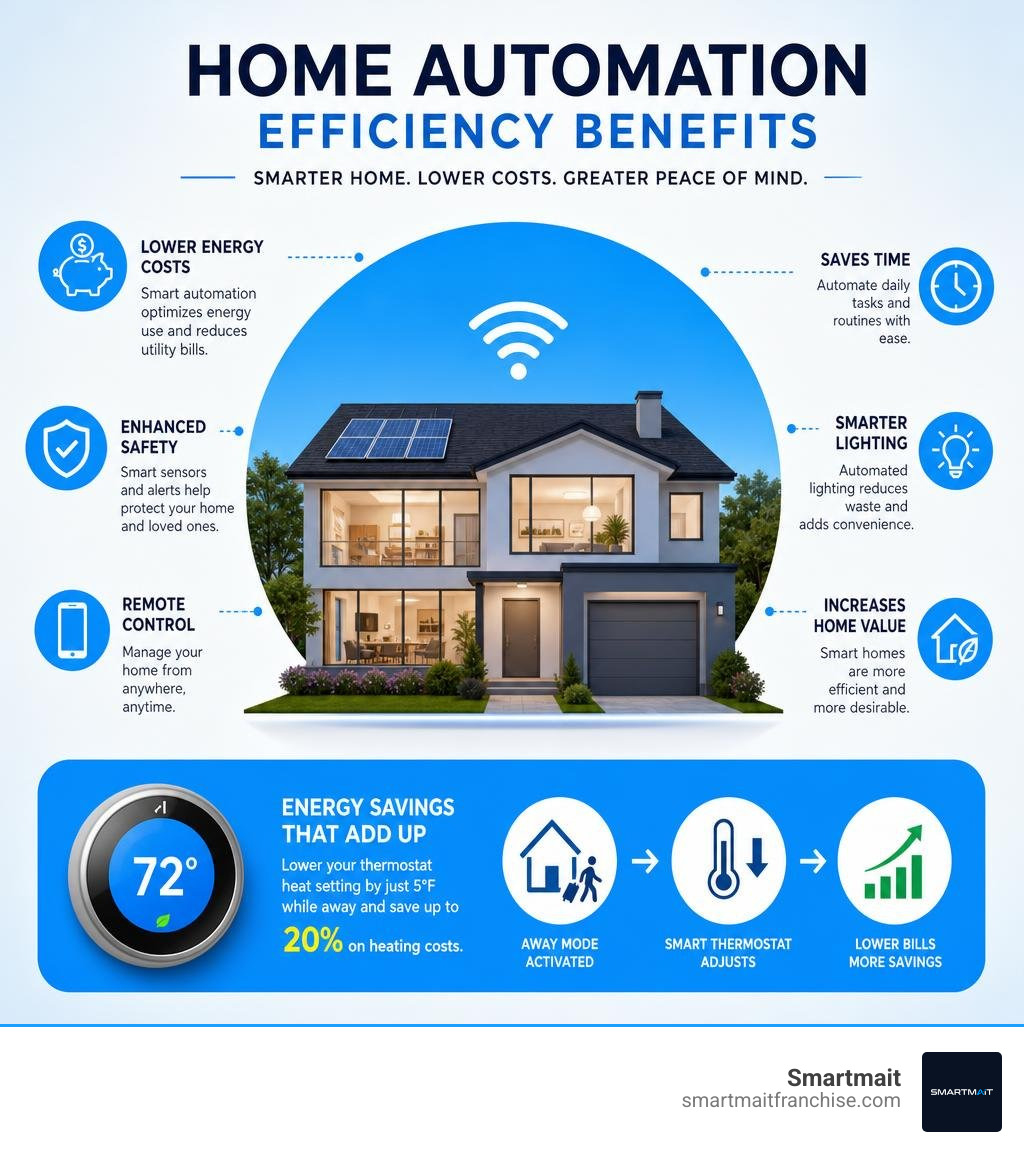
Integrating Smart Controls for Energy Savings and Safety
Connecting automation peripherals directly to your security ecosystem enhances operational convenience while delivering measurable energy cost reductions. According to energy efficiency guidance from the U.S. Department of Energy, optimizing residential heating and cooling routines yields direct monthly savings.
- Smart Thermostats: Heating and cooling account for roughly 50% to 60% of an average home’s annual utility bill. Lowering your thermostat target by 5°F to 8°F when away can lower heating and cooling expenditures by up to 10% to 20% annually. Program your control panel to enter “Away Mode” upon arming, automatically adjusting temperature setpoints.
- Automated Lighting Controls: Lighting accounts for approximately 11% of household electric consumption. Implementing automated schedules and dimmers can save over $200 annually while giving an unoccupied property a lived-in appearance.
- Remote Smart Locks: Eliminate hidden physical keys by assigning temporary digital access codes to family, house sitters, or maintenance contractors. With roughly 30% of residential entries occurring through unlocked doors, automated locking schedules offer critical peace of mind.
To learn more about selecting and pairing peripheral devices, read our complete guide on how to choose automated home security systems.
Resolving System Issues and Maintenance Protocols
To prevent component failures and frustrating false dispatches, establishing an ongoing system maintenance schedule is essential. We recommend executing these core checks regularly:
- Monthly Sensor Communication Tests: Place your monitoring account in “Test Mode” via the mobile app, then physically open and close door/window contacts to confirm signal arrival.
- Battery Replacement Schedules: Test and replace backup lithium batteries in wireless door sensors and motion detectors every 3 to 5 years.
- HVAC Filter Inspection: Inspect return air filters monthly to maintain optimal airflow, protecting HVAC hardware and smart thermostat accuracy.
- Lens Cleaning for Outdoor Cameras: Gently clean camera lenses with microfiber cloths to prevent dust, cobwebs, and water spot accumulation from triggering motion alerts.
If accidental trips are causing disruption, review our troubleshooting guide on alarm system set up and false alarm prevention. If you manage commercial facilities or larger spaces, check out our breakdown of cameras for business security.
Frequently Asked Questions About System Migration
Is the legacy provider still operating independently?
No. Many legacy security operations have been completely integrated into unified service platforms following corporate consolidation. Older web domains, customer support phone lines, billing databases, and central monitoring dispatch workflows are often migrated into primary company management channels.
What happens to existing legacy warranties and guarantees?
Original contract parameters and existing equipment warranties are generally honored through the duration of their active term. Service guarantees for newly installed equipment follow updated customer policies, which may include installation refund policies subject to specific terms and conditions.
Can legacy hardware work with modern smart home systems?
In many situations, yes. Hardwired door contacts, motion detectors, glass break sensors, and window switches from older installations can frequently be retained using wireless translator modules or takeover panels. These modules bridge legacy hardwired zones into modern wireless frequency protocols, allowing long-term home security equipment to work seamlessly with updated automation hubs.
Conclusion
Managing a legacy security account transition does not need to be overwhelming or complex. By establishing portal access, evaluating your active hardware connectivity, and leveraging modern smart home automation, you can ensure your property remains protected, energy-efficient, and easy to control from anywhere.
At Smartmait, we specialize in helping property owners optimize home technology installations, establish preventative maintenance schedules, and get the absolute most performance out of modern automation systems. Whether you need assistance integrating hardwired sensors with updated hubs or establishing recurring system maintenance routines, Smartmait provides expert technical support tailored to your smart technology needs.