
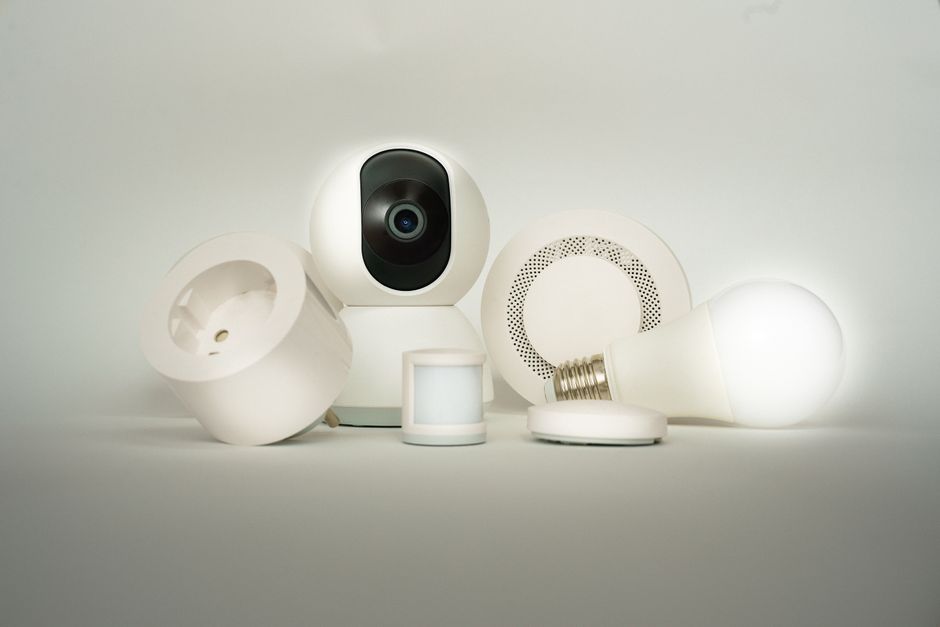
When Your Smart Home Stops Being Smart: Finding the Right Support
Smart home support is how homeowners and small business operators get help when their connected devices stop working, lose connection, or simply refuse to cooperate.
Here are the most reliable ways to get smart home help, fast:
| Support Type | Best For | Examples |
|---|---|---|
| Manufacturer support portals | Device-specific troubleshooting | Honeywell Home, Roku Smart Home, Google Home Help |
| Retail protection plans | Hardware repair and replacement | Telecom Smart Home Support Plans |
| Open-source platforms | Local control and privacy | Home Assistant |
| Professional installation services | Full-system setup and ongoing support | Smartmait |
Your smart lights won’t respond. Your thermostat is offline. Your security camera froze at 2 a.m. Sound familiar?
Smart home technology promises convenience, but when something breaks, most people have no idea where to turn. Manufacturer apps, retail protection plans, DIY platforms, and professional installers all offer some form of help — but they cover very different things, and the gaps between them can leave you stuck.
With over 2 million households already using home automation tools, the demand for reliable smart home help is real. Yet the support landscape remains fragmented, confusing, and often frustrating to navigate.
I’m Dominic Hesano, founder of Smartmait, a home and business automation franchise built around professional smart home support, installation, and long-term service relationships. In this guide, I’ll break down exactly where to turn — and what to watch out for — when your tech goes rogue.
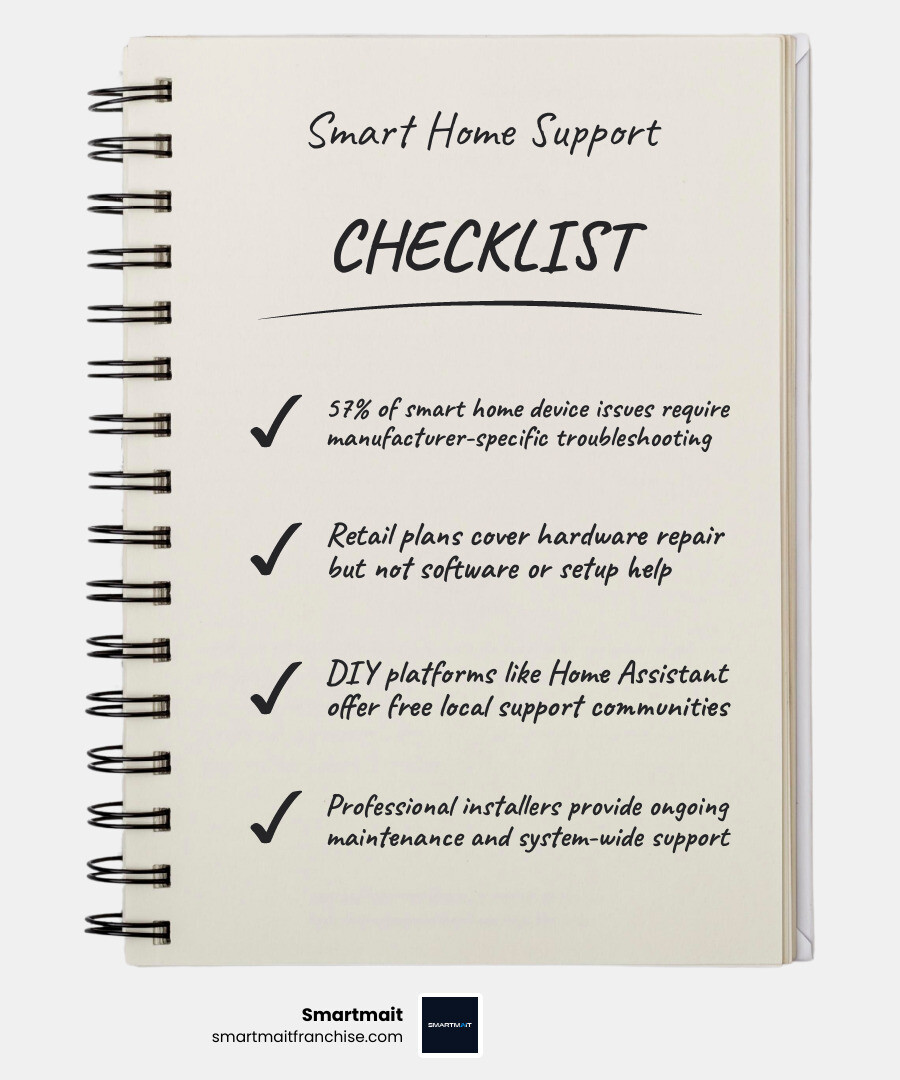
Why Standard Retail Protection Plans Fall Short of True Smart Home Support
When looking for peace of mind, many homeowners turn to standard retailer protection plans, such as major telecom device insurance policies. These plans often bundle traditional home office technology with IoT (Internet of Things) hardware under a single warranty umbrella. While they sound incredibly convenient on paper, they are fundamentally different from active, professional smart home maintenance.
Let us look closely at how a typical corporate plan operates. These plans cover an unlimited quantity of qualifying products in your home. These qualifying products typically span two main categories:
- Smart Home Products: This includes smart door locks, smart home security cameras, smart thermostats, smart video doorbells, smart hubs, and smart light dimmers.
- Primary Home Entertainment & Tech: This includes PCs, televisions, home routers, gaming systems, and other home entertainment electronics.
While the “unlimited quantity” promise is attractive, these plans are built on a reactive, insurance-style model. They do not help you optimize your network, and they certainly do not send a technician to your house to tweak your automation routines. Instead, they focus strictly on repairing or replacing broken hardware.
To understand how this differs from a comprehensive, proactive service, let us compare standard retail protection plans with professional smart home maintenance:
| Feature | Standard Retail Protection Plans | Professional Smart Home Maintenance (Smartmait) |
|---|---|---|
| Primary Focus | Hardware repair and replacement | System optimization, uptime, and customization |
| Service Fees | Flat fees per claim ($49.00 or $89.00) | Transparent, flat-rate subscription or clear service quotes |
| Claim Limits | $2,000 per single claim / $5,000 aggregate per 12 months | Unlimited support and ongoing maintenance visits |
| Software Support | Very limited; basic troubleshooting only | In-depth app configuration, software updates, and custom scenes |
| Installation | Completely excluded | Fully included for new setups and system upgrades |
| Network Optimization | None; assumes your Wi-Fi is working perfectly | Comprehensive Wi-Fi mapping and bandwidth optimization |
Under standard retail protection plans, filing a claim comes with specific service fees. For smart home products like smart door locks, security cameras, thermostats, and video doorbells, you will pay a service fee of $49.00 plus applicable taxes per claim. For larger home entertainment products, including PCs, televisions, and home routers, the service fee rises to $89.00 plus applicable taxes. Some peripheral devices, such as smart hubs and light dimmers, may carry no service fee for basic claims, but they are still subject to strict rules.
Furthermore, these plans carry tight financial caps. There is a per-claim limit of $2,000, meaning if your high-end smart home theater system blows out, the plan will only cover up to that amount. Additionally, there is an aggregate claim limit of $5,000 per rolling 12-month period. If you have a string of bad luck with lightning strikes or power surges, you can easily max out your coverage before the year is up.
If you are planning to expand your setup, relying solely on these protection plans is risky. To ensure your system is built to last from day one, you should read our guide on The Smart Way to Plan Your Next Smart Home System Upgrade.
What is Excluded from Standard Retail Protection Plans?
The fine print of corporate smart home protection contracts is where many homeowners get tripped up. These plans are legally structured to protect the administrator’s financial liability, which means the list of exclusions is extensive.
Standard retail protection plans typically exclude:
- Pre-existing conditions: If a camera was failing before you signed up, it is not covered.
- Improper installation: If you mounted your smart video doorbell incorrectly and water leaked into the casing, your claim will be denied.
- Cosmetic damage: Scratches, dents, and faded plastic that do not affect the device’s basic function are ignored.
- Software troubleshooting and data recovery: If your smart camera’s hardware is fine but its app is constantly crashing or you lost your saved video history, the protection plan will not help you.
- Preventative maintenance: These plans will not clean your camera lenses, replace your smart lock batteries, or update your firmware to patch security vulnerabilities.
Because these plans ignore software integration and proper physical setup, they leave a massive gap in actual smart home support. If you want to avoid these issues entirely by choosing highly reliable hardware from the start, check out our curated list of From Dumb to Brilliant The Best Smart Home Automation Products of the Year.
Navigating Platform-Specific Smart Home Support and Troubleshooting
When a smart device goes offline, your first line of defense is usually platform-specific troubleshooting. Most modern smart home issues boil down to wireless interference, outdated firmware, or app-level synchronization errors.

Before throwing your hands up in defeat, we always recommend a systematic approach to diagnosing the issue. If you want to master the art of fixing these bugs yourself, take a look at our step-by-step walkthrough on How to Troubleshoot Smart Home Issues in 7 Days.
Troubleshooting DIY Platforms Without Professional Smart Home Support
If you have built your smart home using various consumer DIY brands, you will have to navigate several different support systems. Let us look at how to handle issues across three of the most popular DIY ecosystems.
Roku Smart Home
Roku has expanded beyond streaming sticks to offer a full lineup of smart home devices, including cameras, smart plugs, smart lights, and home monitoring systems. They even offer professional monitoring subscriptions (Pro Monitoring) for their security packages.
If your Roku camera or plug goes offline, the official Roku Smart Home | Official Roku Support portal recommends checking your Wi-Fi signal strength first. Because these devices rely heavily on 2.4GHz Wi-Fi networks, they are highly sensitive to network congestion.
Other common Roku troubleshooting steps include:
- Installing a micro SD card in your cameras to ensure local backup storage is active.
- Setting up entry and exit delays on your home monitoring system to prevent false alarms.
- Performing a factory reset on completely unresponsive plugs or bulbs, then re-pairing them within the Roku Smart Home app.
Honeywell Home Thermostats
Honeywell Home thermostats are famous for their reliability, but they require proper physical installation to work correctly. Unlike simple smart plugs, thermostats interface directly with your home’s heating, ventilation, and air conditioning (HVAC) system.
According to the Product Support and Resources | Honeywell Home portal, one of the most common issues is a lack of continuous power. Many older homes do not have a “C-wire” (common wire) running from the furnace to the thermostat. Without it, your smart thermostat may constantly drop offline or fail to power on. Honeywell offers a C-wire adapter kit to resolve this, but you must exercise extreme caution. Working with HVAC wiring carries physical hazards, and improper wiring can damage your expensive furnace or air conditioning unit.
Additionally, if your Honeywell app is acting up, always check their official app status page first. Sometimes, the issue is not your thermostat at all, but a temporary cloud outage on Honeywell’s servers.
SmartThings
As one of the oldest and most versatile smart home hubs, SmartThings is excellent for bridging different brands. However, managing a complex mesh network of Zigbee, Z-Wave, and Wi-Fi devices can be challenging.
When you run into issues, the SmartThings Support directory outlines several self-service steps. For deep troubleshooting, SmartThings support agents may ask you to temporarily enable “account data access” within your app settings. This allows their technical team to look at your hub’s event logs remotely to see exactly why a specific routine or device is failing.
SmartThings also emphasizes proper routine management. If a automation fails to run, verify that the “Location” settings in your app are correct and that your hub is online.
Why Local Hubs Offer the Best Smart Home Support and Privacy
For tech-savvy homeowners who are tired of cloud outages and privacy concerns, open-source local hubs have become incredibly popular. The clear leader in this space is Home Assistant.
Home Assistant is trusted by over 2 million households worldwide. It is a local-first, privacy-focused smart home platform that runs on a dedicated hub inside your home (like a Raspberry Pi or a Home Assistant Green). Because it does not rely on corporate cloud servers to process your data, your smart home keeps working even if your internet connection goes completely down.
Key benefits of using Home Assistant include:
- Massive Compatibility: It supports over 1,500 integrations across more than 1,000 different brands.
- Local Control & Privacy: Your data stays in your home. Commands are executed instantly over your local network, bypassing the latency and security risks of the cloud.
- Advanced Automation Engine: You can build incredibly complex automations based on precise triggers, such as the sun’s position, presence detection, or local energy tariffs.
- Local Voice Control: Home Assistant allows you to set up local voice assistants using open-source wake words, meaning your private conversations are never uploaded to corporate servers.
While Home Assistant is incredibly powerful, it does require a DIY spirit and some technical know-how to set up and maintain. For those who want the ultimate level of control, it is an unmatched tool.
Mastering Matter and Multi-Platform Smart Home Control
For years, the biggest headache in smart home technology was fragmentation. You had to make sure every device you bought explicitly said “Works with Google Home” or “Compatible with Apple HomeKit.”
Fortunately, the industry introduced Matter — an open-source, unifying connectivity standard designed to ensure that devices from different manufacturers work together seamlessly over your local Wi-Fi or Thread network. To learn how to optimize your home network for this new standard, check out our guide on Smart Home WiFi Setup 101 Stop Your Devices from Fighting for Bandwidth.
Setting Up Matter-Enabled Devices with Google Home
Setting up a Matter-enabled device is remarkably simple, but you must meet the basic system requirements. To use Matter with Google Home, you need:
- A compatible mobile device running Android 8.1 (with Google Play services 22.48.14 or later) or iOS 16.5 or later.
- A Google Home hub that acts as a Matter controller (such as a Nest Hub Max, Nest Hub 2nd Gen, or Nest Wifi Pro).
To complete the setup, as detailed in the official guide on how to Set up, manage, and control Matter-enabled devices with Google Home – Google Home and Nest Help :
- Open the Google Home app on your mobile device.
- Tap the “+” icon to add a new device.
- Scan the unique Matter QR code located on the physical device or its packaging.
- The app will securely pair the device to your local network using Wi-Fi or Thread.
If the setup process freezes or fails to finish, we recommend clearing your Google Home app cache, power-cycling the smart device, and trying the scan again.
Sharing Matter Devices Across Google Home and Apple HomeKit
One of the most features of Matter is its Multi-Admin capability. This allows you to share and control a single physical device across multiple smart home platforms simultaneously. For example, you can set up a smart light using Google Home on an Android phone, and then share control of that exact same light with a family member who uses Apple HomeKit on an iPhone.
To share a Matter device from Google Home to Apple HomeKit:
- Open the Google Home app and navigate to the device’s settings.
- Tap Linked Matter apps & services, then select Link an app.
- The Google Home app will generate a temporary, single-use pairing code.
- Open the Apple Home app on the iOS device, choose to add an accessory, and enter that temporary pairing code.
- The device will now appear and be fully controllable in both ecosystems.
For this cross-platform sharing to work with Thread-based devices, you must have a Thread Border Router (such as a Nest Hub or an Apple HomePod Mini) active on your home network to bridge the communication. If you run into any platform-specific issues during this process, you can consult the Find support for: – Google Home and Nest Help directory for further troubleshooting.
Frequently Asked Questions About Smart Home Support
What devices are typically covered under standard retail protection plans?
Standard retail protection plans generally cover a mix of traditional home office tech and select smart home hardware. Qualifying devices usually include PCs, laptops, televisions, home routers, gaming consoles, smart hubs, light dimmers, smart door locks, security cameras, smart thermostats, and video doorbells. However, they rarely cover specialized custom automation hardware, motorized shades, or complex whole-home audio systems.
How do I fix a Honeywell thermostat that is not powering on?
If your Honeywell thermostat is completely blank, first verify that the circuit breaker for your HVAC system is turned on. Next, check the physical wiring behind the thermostat faceplate. If your system lacks a C-wire (common wire), you may need to install a C-wire adapter kit to provide continuous power. Because incorrect HVAC wiring can cause severe system damage, we highly recommend seeking professional HVAC assistance or contacting a smart home technician if you are unsure.
Can I control my Matter devices if my internet goes down?
Yes! One of the core benefits of the Matter standard is local control. Because Matter devices communicate directly over your local Wi-Fi or Thread network, any command sent from a local controller (like a Nest Hub or Apple HomePod) will execute instantly without needing to travel to the cloud. You will only lose the ability to control your devices remotely when you are away from home.
Conclusion
At the end of the day, managing a modern smart home shouldn’t feel like a second job. While manufacturer help pages and retail protection plans have their place, they often leave you stranded when it comes to actual installation, custom automation, and ongoing network optimization.
At SmartMait, we believe in a better way. We combine professional smart home installation with proactive, ongoing maintenance to ensure your system stays online, secure, and perfectly tailored to your lifestyle. We don’t just replace broken hardware; we optimize your entire digital environment so you can actually enjoy the convenience of your connected home.
If you are a tech enthusiast looking to bring this high level of service to your local community, learn more about our business model by reading The Complete Guide to Smart Home Franchises.
Ready to banish the smart home headaches for good? Visit Smartmait today to connect with our professional support team and keep your technology working exactly the way it should.