
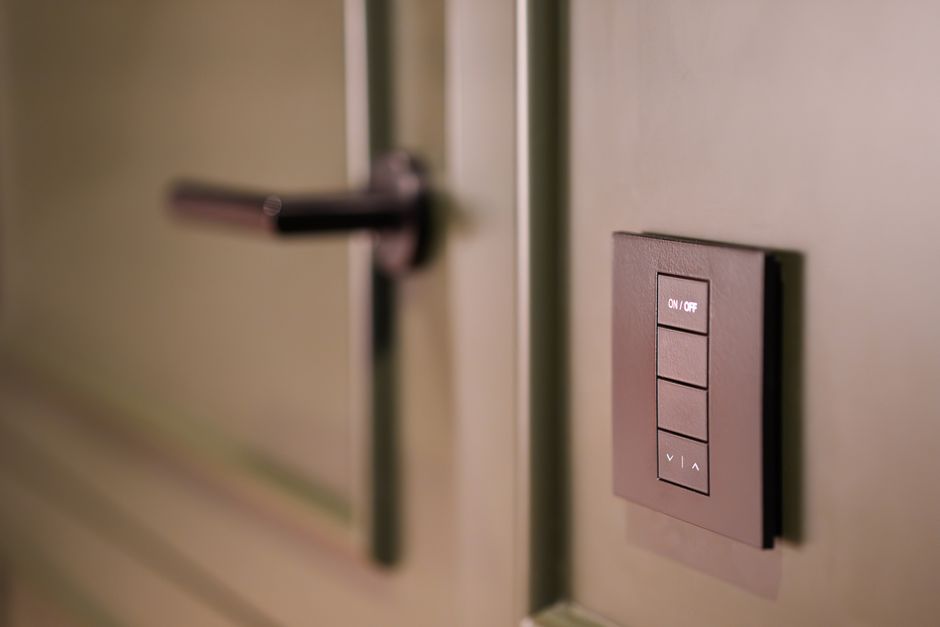
Start Smart Home Lighting Control With a Simple, Reliable Plan
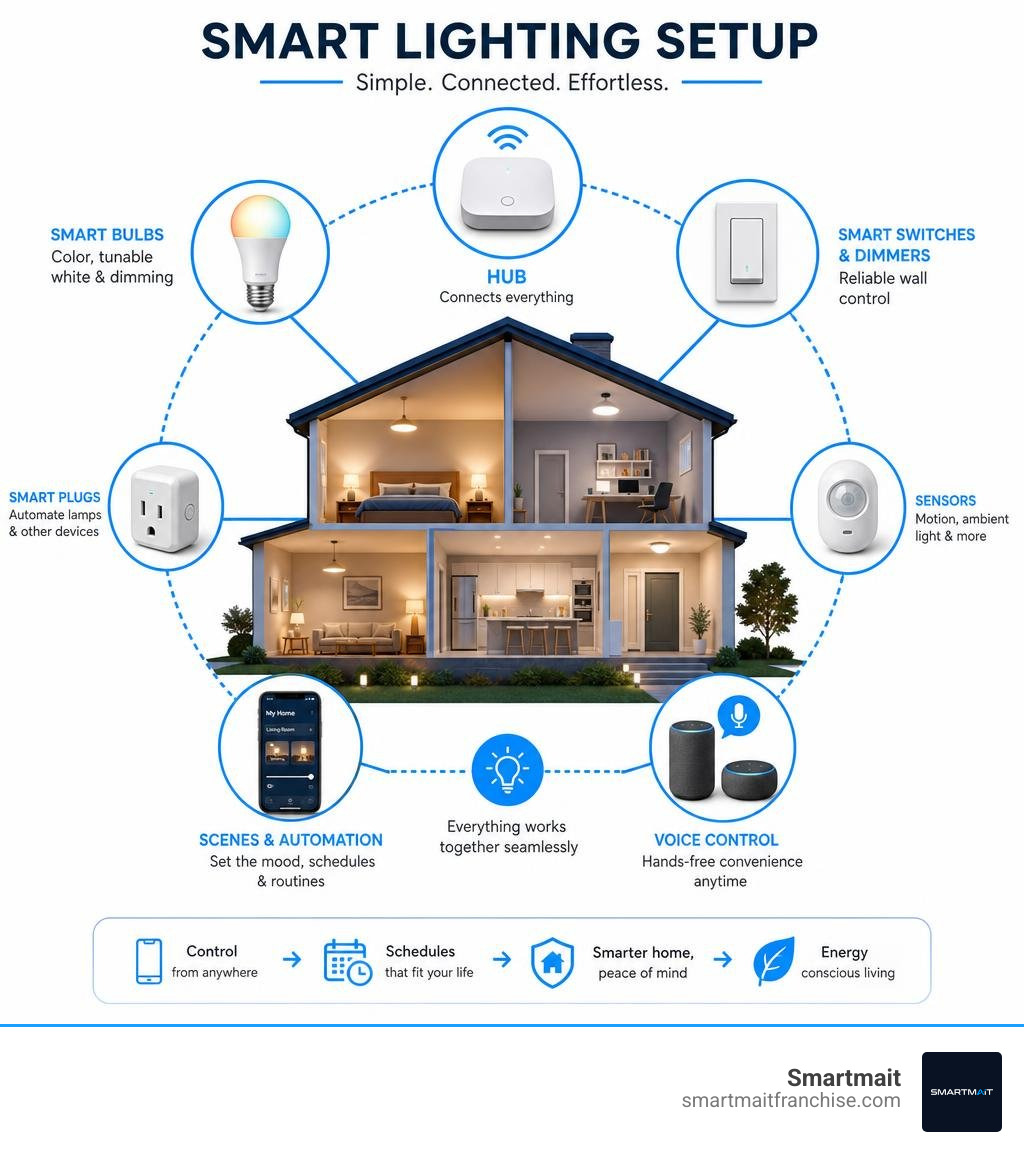
To set up smart home lighting control, start with one room and choose the control type that fits the lights you already own:
- Use smart bulbs for color, tunable white light, and easy renter-friendly upgrades.
- Use smart switches or dimmers for reliable wall control of hardwired ceiling lights.
- Use smart plugs to automate floor lamps and table lamps.
- Add a compatible hub, app, sensor, or voice assistant when you are ready for schedules, scenes, and hands-free control.
The key is to keep power available to smart bulbs and choose products that work within the same ecosystem. For example, a standard wall dimmer can cause flickering or poor performance with many smart bulbs because both devices are trying to control brightness. A smart switch, wireless remote, or app-based scene avoids that conflict.
Smart lighting goes beyond turning lights on from your phone. You can set a warm evening scene, schedule porch lights at sunset, trigger hallway lights with motion, or create a gradual sunrise routine. Efficient LED sources can use up to 85% less energy and last up to 20 times longer than incandescent bulbs, while automation helps prevent lights from running when no one needs them.
I am Dominic Hesano, a franchise development professional and business operator building SmartMait around dependable automation, security, networking, lighting, and connected-device solutions for homes and businesses. My work in smart home lighting control focuses on making systems practical to install, simple to use, and supportable over time.
Smart home lighting control terms to know:
Fundamentals of Residential Lighting Automation
Automating residential illumination requires a solid understanding of how signals, loads, and hardware interact across your property. At its core, an automated lighting system replaces passive electrical contacts with intelligent controllers capable of modulating power, color, and operational schedules.
To build a system that endures, we must treat lighting as a foundational layer of building infrastructure rather than a disjointed collection of standalone gadgets. Modern installations balance electrical load management, wireless signal integrity, and user ergonomics. When planning an installation, reviewing in-depth guide to home automation basics helps clarify how lighting serves as the central anchor for broader environmental controls, such as motorized window treatments, climate thermostats, and security systems.
How Smart Lighting Works
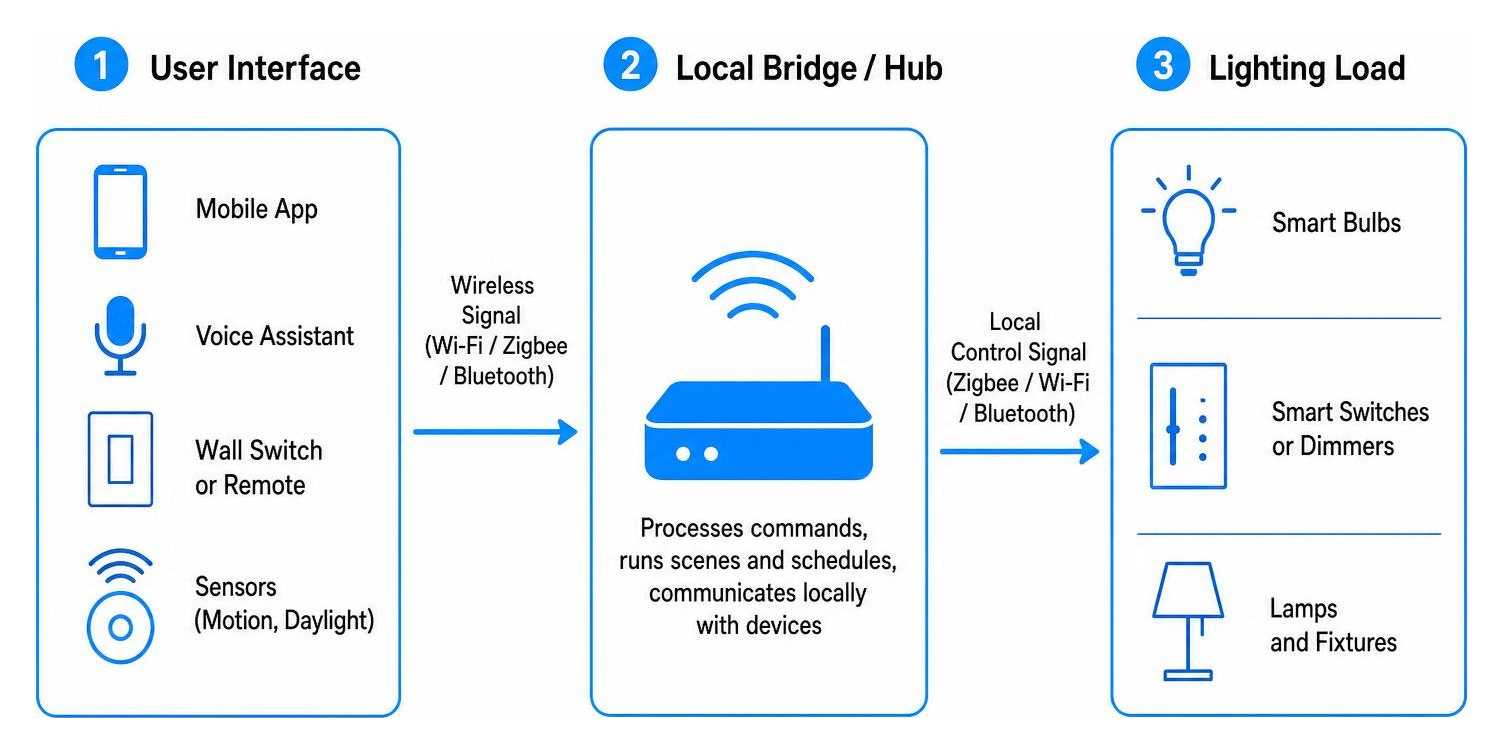
At a functional level, automated lighting operates across three layers: input triggers, processing logic, and load actuation.
- Input Triggers: These include physical inputs (such as wireless wall remotes, touch sliders, or kinetic switches), environmental inputs (occupancy sensors, daylight harvesting sensors, contact sensors), or digital requests (mobile app commands, cloud schedules, voice prompts).
- Processing Logic: Signals pass through a local gateway, micro-controller, or embedded processor. The controller evaluates the input against programmed rules (such as checking if it is past sunset or if the room is occupied) and dispatches a digital payload.
- Load Actuation: The endpoint—an in-wall dimmer, plug-in relay, or smart bulb driver—interprets the payload and modifies the circuit using pulse-width modulation (PWM) for LED dimming, relay switching for circuit isolation, or digital color mixing.
For newcomers reviewing smart home 101: a beginner’s guide to getting started, understanding this separation between the control plane (the signal) and the power plane (the electrical voltage) is essential. Unlike legacy switches that physically cut line voltage to darken a room, connected lighting maintains low-voltage standby power to keep wireless radios listening for the next actuation command.
Choosing Protocols for Smart Home Lighting Control
Selecting the proper wireless or wired protocol determines whether your network functions reliably or suffers from latency and dropped commands. Modern lighting automation utilizes several distinct communication standards:
- Zigbee 3.0: A low-power, self-healing mesh protocol operating primarily on the 2.4 GHz frequency band. In a Zigbee mesh, mains-powered devices (such as smart bulbs and in-wall switches) act as signal repeaters, extending range throughout large residences. Zigbee transmissions employ robust 128-bit AES encryption to safeguard against eavesdropping and network intrusion. Following standard how to use TRÅDFRI smart lighting – IKEA guidelines, standalone steering remotes can operate over an unobstructed range of up to 32 feet or route through mesh nodes across multi-story homes.
- Thread and Matter: Thread is an IPv6-based, low-power mesh networking technology that provides direct device addressability without vendor-locked bridges. Matter sits as an application layer on top of Thread, Wi-Fi, and Ethernet, standardizing device commands across ecosystems. A Matter-certified light can communicate natively with Apple Home, Google Home, Amazon Alexa, and local controllers simultaneously.
- Bluetooth Mesh and Point-to-Point Bluetooth: Standard Bluetooth allows direct smartphone-to-bulb pairing without a bridge, which suits single-room setups. Bluetooth Mesh extends this into multi-node deployments with localized ranges from 50 to 150 feet for standard devices, and up to 200 to 650 feet for specialized long-range commercial controllers.
- Wi-Fi: Wi-Fi devices connect directly to your residential wireless router. While convenient for standalone fixtures, deploying dozens of Wi-Fi bulbs can congest residential bandwidth and increase router overhead.
- DALI2 and KNX: For commercial environments or high-end architectural residences, wired protocols like Digital Addressable Lighting Interface (DALI/DALI2) and KNX provide extreme reliability. KNX is supported by over 500 manufacturers worldwide, while DALI2 allows granular, per-channel digital dimming across complex architectural driver installations.
Hub-Based vs. Hub-Free Architecture
Deciding between a hub-based ecosystem and a hub-free architecture impacts system scalability, speed, and long-term expandability.
| Feature | Hub-Based Architecture (e.g., Zigbee / Proprietary Bridge) | Hub-Free Architecture (e.g., Wi-Fi / Direct Bluetooth) |
|---|---|---|
| Network Traffic | Offloads traffic from Wi-Fi router to dedicated mesh | Bulbs communicate directly with router, increasing traffic |
| Local Processing | Executes automations locally with sub-second latency | Often relies on cloud APIs, subject to internet latency |
| Offline Reliability | Physical switches and automations run without internet | Cloud-dependent features stop working if ISP goes down |
| Device Capacity | High capacity (e.g., 150+ fixtures on modern pro hubs) | Constrained by Wi-Fi router client limits (typically 30–50) |
| Initial Cost | Requires upfront hardware bridge purchase | Lower entry cost; devices operate out of the box |
Modern high-capacity hubs, such as the Bridge Pro – Smart hub | Philips Hue, support 150+ lights and 50+ accessories on a single unified interface. These next-generation bridges utilize onboard AI processing to deliver capabilities like MotionAware technology, turning ambient light fixtures into spatial motion detectors without requiring discrete motion sensors.
Core Components of Smart Home Lighting Control Systems
Building an adaptable lighting system requires selecting the right hardware components for each physical fixture and load profile.
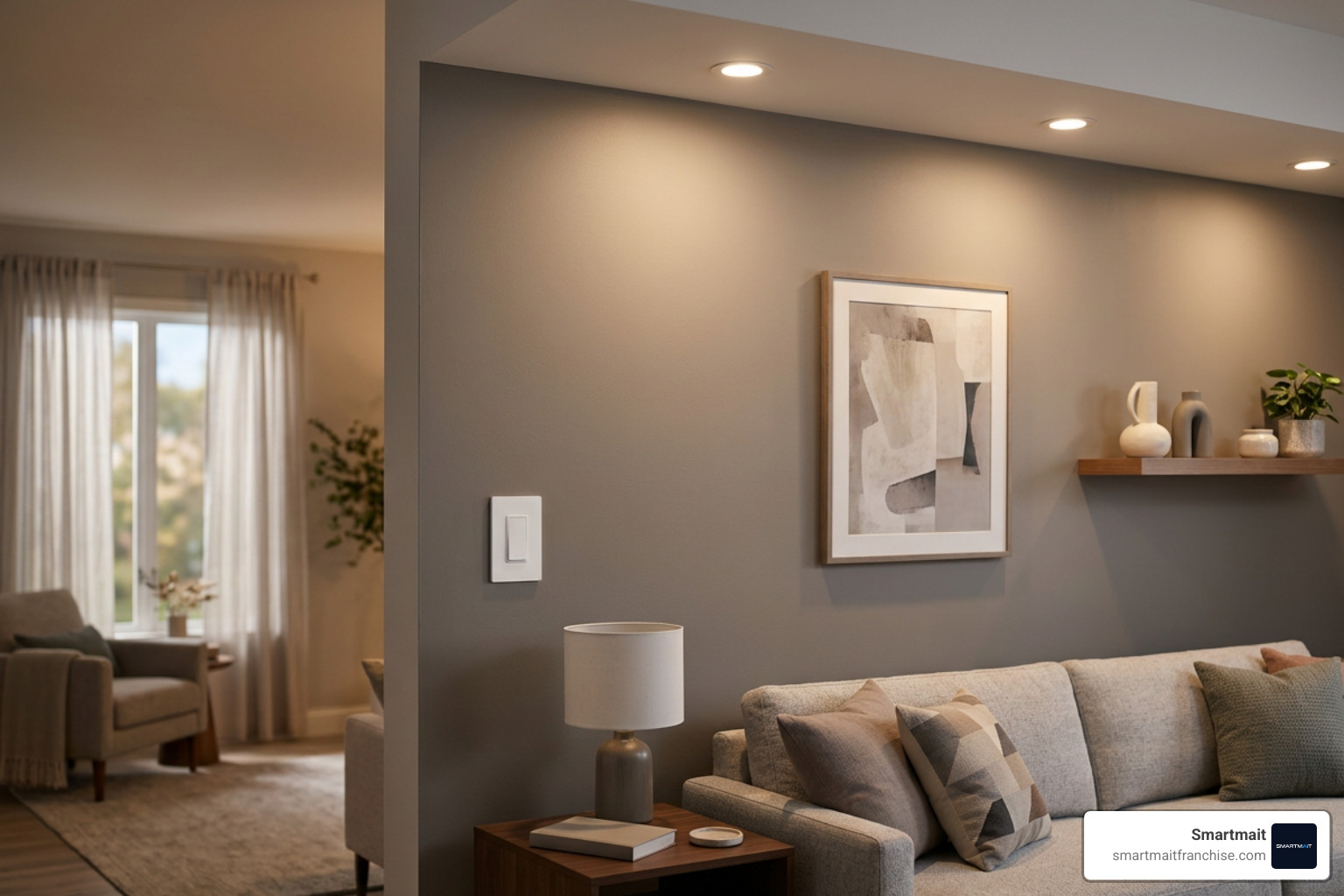
The hardware hierarchy generally encompasses:
- Central Bridges & Gateways: Coordinate device addressing, cloud synchronization, and automation execution.
- In-Wall Switches and Dimmers: Hardwired line-voltage modules managing permanent architectural circuits.
- Smart Light Sources: Connected LED bulbs, lightstrips, and integrated downlights.
- Auxiliary Plug-In Modules: Plug-in relays and dimmers controlling portable accent lighting.
- Input Interfaces: Battery-powered wireless scene switches, kinetic buttons, and multi-state presence sensors.
Smart Bulbs vs. In-Wall Switches and Dimmers
A common dilemma in residential setup is deciding between replacing the bulb or replacing the wall switch.
| Consideration | Smart LED Bulbs | In-Wall Smart Dimmer Switches |
|---|---|---|
| Best Used For | Accent lighting, table lamps, color/CCT tuning | Overhead ceiling fixtures, recessed cans, chandeliers |
| Color Control | Full RGB spectrum and tunable white (1800K–6500K) | Controls brightness only (monochrome circuit load) |
| Switch Behavior | Turning off a legacy wall switch cuts power and controls | Wall switch remains smart; keeps circuit active at all times |
| Wiring Needs | Standard light socket (no electrical wiring required) | Requires junction box with line, load, ground, and usually neutral |
| Cost at Scale | Expensive for multi-bulb fixtures (4–8 bulbs per room) | Cost-effective: one switch controls an entire lighting circuit |
| Flicker Risk | Minimal; driver is internally matched to LED diodes | Requires dimmable LEDs; cheap LEDs may buzz or flicker |
Smart bulbs excel in spaces where individualized fixture control, dynamic colors, or circadian tuning are desired. However, if a household member flips a standard mechanical light switch off, the smart bulb loses power and drops offline. In-wall smart switches solve this by ensuring the circuit remains digitally controllable at the wall, via mobile apps, or through background automations.
Smart Plugs for Auxiliary Lighting
Floor lamps, reading lights, and decorative table fixtures are best integrated using smart plugs. Rather than rewiring portable fixtures, deploying compact plug-in modules instantly brings standalone accent lights into whole-home schedules. Deploying detailed guide to practical home automation solutions allows you to group auxiliary accent lighting alongside primary ceiling circuits so that a single command adjusts every light source across the room.
Entry-level starter kits make introducing auxiliary lighting straightforward; for example, the TRÅDFRI starter kit, smart/wireless dimmable white spectrum, E26 – IKEA provides an accessible entry point with pre-paired wireless dimming right out of the box.
Voice Integration in Smart Home Lighting Control
Voice assistant platforms—including Amazon Alexa, Google Assistant, and Apple Home (Siri)—act as conversational overlays for lighting control. By exposing device states to voice ecosystems via Matter bridges or native cloud-to-cloud skills, you can issue conversational commands without touching physical hardware.
Mastering smart home voice commands guide allows homeowners to activate complex macro routines using simple phrases:
- “Alexa, set the kitchen to Cooking Mode” (adjusts task downlights to 100% cool white and dims pendant accents).
- “Hey Siri, goodnight” (sweeps the home, isolates exterior loads, dims hallway paths to 5%, and turns off living areas).
- “Hey Google, movie time” (lowers overheads to 10% warm amber and activates bias backlighting behind the media display).
Designing Automations, Scenes, and Energy Profiles
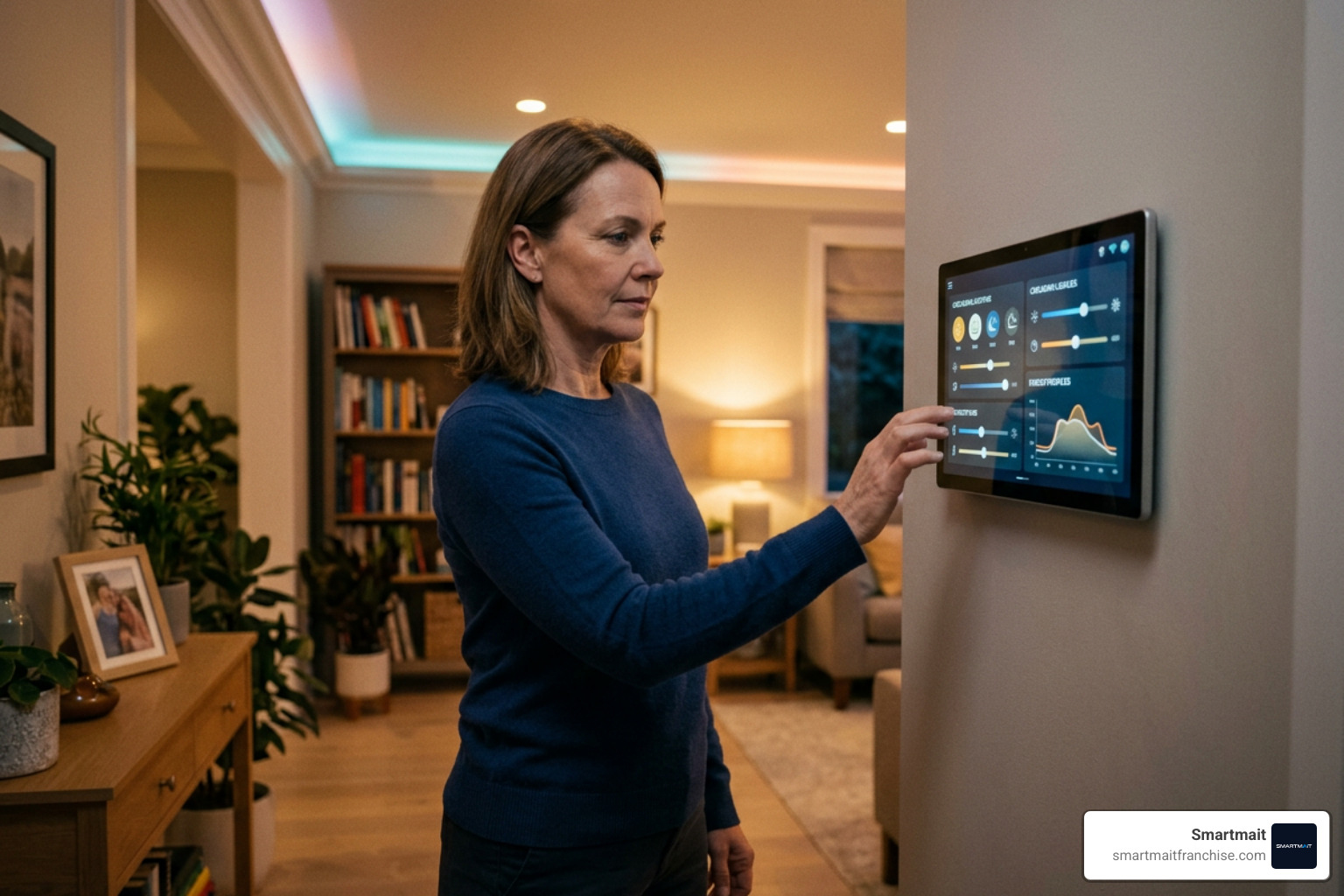
True home automation operates proactively in the background rather than relying solely on manual app commands. Modern lighting design balances visual comfort, health, and energy conservation through strategic power management. Managing these energy footprints is detailed in the complete guide to smart home power management for energy savings.
Circadian White Tuning and Scene Customization
Human biology responds to the natural shifts of sunlight. Tunable white lighting allows indoor illumination to mirror these solar transitions:
- Morning (6:00 AM – 9:00 AM): Soft, warm white (2700K) transitioning to energizing cool light (4000K–5000K) to stimulate cortisol production and promote alertness.
- Midday Task Focus (9:00 AM – 4:00 PM): Crisp daylight white (5000K–6500K) at high brightness to maximize concentration.
- Evening Relaxation (5:00 PM – 9:00 PM): Warm amber glow (2200K–2700K) at reduced lumen output, encouraging melatonin production.
- Nighttime Pathway (9:00 PM – 6:00 AM): Ultra-low warm illumination (1800K–2000K dimmed to 1–5%) to permit safe navigation without disrupting sleep cycles.
Fixtures meeting high-fidelity color standards—such as the LED Bulb T1 – Aqara, which features a Color Rendering Index (CRI) of Ra90+ and a tunable range from 2700K to 6500K—reproduce colors accurately and provide superior eye comfort. In specialized environments, custom integrations like raku306363s/ha-lumos extend this dynamic control across wider ranges from 1800K candlelight to 6500K daylight.
Sensor Automation and Motion Schedules
Combining motion, presence, and ambient light sensors eliminates manual switch operation:
- Occupancy vs. Vacancy Sensing: Occupancy automations turn lights on when motion is detected and off after a period of inactivity. Vacancy setups require manual turn-on via a wall switch but automatically power off when the space is empty, maximizing energy conservation in bedrooms and home offices.
- Daylight Harvesting: Illuminance sensors measure ambient natural light near windows, dynamically dimming artificial luminaires when sunlight is sufficient.
- Power-Off Memory: Advanced smart bulbs incorporate power-off memory, allowing you to define whether a fixture restores its previous state, remains off, or turns on after an electrical grid recovery. This prevents an entire house from illuminating at full brightness following a midnight power flicker.
When expanding and coordinating sensor networks, referencing the smart way to plan your next smart home system upgrade ensures your infrastructure scales smoothly across additional rooms.
Frequently Asked Questions About Smart Lighting
Can smart LED bulbs be used with traditional wall dimmer switches?
No. Smart LED bulbs must never be connected to circuits controlled by traditional analog phase-cut wall dimmers. Legacy dimmers control brightness by physically “chopping” the AC voltage sine wave (leading-edge or trailing-edge dimming). Smart bulbs, however, contain internal electronic logic boards, Wi-Fi/Zigbee transceivers, and constant-current drivers that require steady, unchopped line voltage. Chopping the incoming voltage starves the internal radio of power, causing flickering, audible buzzing, dropped wireless connections, and premature component failure. Smart bulbs should always be supplied with constant power and dimmed digitally via apps, wireless remotes, or smart switches configured in detached/smart-bulb bypass mode.
Do smart lighting systems work during an internet outage?
Yes, provided your system is designed around local control architecture. Mesh networks like Zigbee 3.0, Thread, and Bluetooth Mesh communicate locally between endpoints and local bridges. If the external internet connection drops:
- In-wall smart switches and physical wireless remotes will continue to control paired lights instantly.
- Local automations (such as PIR motion sensors triggering hallway nightlights) execute normally without cloud connectivity.
- Voice control via local hubs or direct HomeKit integration remains fully functional.
- Remote access from outside your local home network will be temporarily unavailable until your internet connection is restored.
What wiring is required to install in-wall smart light switches?
Installing standard in-wall smart switches or dimmers typically requires:
- Line Wire (Hot): Delivers continuous 120V/240V power from the electrical breaker panel into the junction box.
- Load Wire: Routes switched/dimmed power from the smart switch box up to the lighting fixture.
- Neutral Wire: Completes the low-voltage internal power circuit of the smart switch, keeping its wireless radio powered when the light is turned off. While “no-neutral” smart switches exist (which trickle microscopic leakage current through the load), a true neutral wire provides the most stable performance for modern LED loads.
- Ground Wire: Essential safety wiring that directs fault currents away from the device chassis to ground.
Prior to installation, always switch off power at the main breaker panel and verify wiring inside your junction box using a non-contact voltage tester.
Conclusion
Automated lighting elevates residential comfort, optimizes daily energy consumption, and provides intuitive control over your home’s ambiance. Whether you begin with a simple starter kit in a reading nook or deploy a full-scale, whole-home architecture featuring circadian white tuning and high-capacity mesh bridges, designing a reliable system requires compatible protocols, proper electrical planning, and dependable hardware.
As smart home ecosystems expand, maintaining complex networks, managing firmware updates, and balancing electrical loads can become challenging for busy homeowners. Smartmait provides professional smart-home and smart-building installation, network configuration, and ongoing maintenance services across the United States. We ensure your automation infrastructure operates reliably on day one and stays optimized over time. To schedule an assessment or upgrade your home’s lighting control network, explore our professional smart home installation and support services today.